
Handbook Notes
1. Notes on the Handbook
© by brainX GmbH
brainX GmbH is committed to the continuous development and improvement of its products. For this reason, the technical data in this handbook may be changed at any time without prior notice. The information in this document is provided to the best of our knowledge and belief and is intended for guidance purposes only. brainX GmbH accepts no liability for losses that may arise from errors in this document.
This handbook is intended for all brainX administrators and users. It aims to provide clear and precise guidance without unnecessary jargon or redundant repetition. The text structure is logical and follows generally accepted standards. Clear and precise terminology is used to avoid confusion. Descriptions of processes and procedures are presented in a logical sequence.
2. Main Categories of the Handbook
The handbook is divided into the following main categories:
- Introduction → Handbook Notes, General CRM Explanations, Technical Requirements and information on brainX Base/Add-on Packages
- Getting Started → basic settings and configurations for Administrators and Users
- Navigation → information on the Navigation Bar/Main Menu and the structure of the List View and Detail View
- My Preferences → description of the settings in the "My Preferences" area of a user
- Global Settings → description of all settings and configuration options in the Global Settings area
- Modules → detailed information on all modules
- Features/Integrations → description of all features, add-ons and integrations
- Glossary → index of terms including explanations
3. Usage Notes
brainX CRM is available in two versions:
- brainX CRM → user-based version (billing based on number of users + packages)
- brainX APP → SaaS version, all modules/functions are always included (billing based on subscriptions and invoices in the system)
The current handbook is valid for both versions!
3.1. brainX Package Labelling
The labels indicating which modules and features/integrations are included in which packages are only relevant for the CRM version "brainX CRM"!
In the CRM version "brainX CRM", in addition to the base package, there is the option to add further packages. These additional packages offer extended functions and features as well as modules specifically tailored to individual requirements.
Detailed information on brainX packages, in particular which modules and features/integrations are included in which packages, can be found in the brainX – Base Package and Add-on Packages section.
In the handbook, pages are labelled with coloured badges corresponding to the packages.
Page valid for the Sales and Marketing packages:
Package: SALES MARKETING
Overview of packages and coloured labels:
Base package:
- Basis → BASIC
Add-on packages:
- Sales → SALES
- Marketing → MARKETING
- Faktura → BILLING
- Service → SERVICE
- Projekte → PROJECTS
3.2. References/Links
References to other sections of the handbook are linked, so the reader can jump directly to that section within the handbook.
Links are displayed in coloured text (usually blue). An example of a link referring to the "My Preferences" section: My Preferences
3.3. Coloured Panels
At various points in this handbook, highlighted content is presented in coloured panels labelled as Info, Warning, Note, Example or Tip:
Information on a topic
Warning about a topic
Note on a topic
Example of a topic
Tip on a topic
4. Responsive Design
So that brainX can be used on all devices such as desktop computers, laptops, tablets and smartphones, the software was developed with Responsive Design.
A browser-based software with Responsive Design automatically adapts to different screen sizes and resolutions. This ensures it is always easy to read and comfortably usable on desktop PCs, laptops, tablets and smartphones.
It is platform-independent and runs directly in the web browser without installation or updates – regardless of the operating system. Responsive Design also improves accessibility and enables barrier-free use.
This results in a flexible, user-friendly solution for cross-device use.
In brainX, four "breakpoints" are defined, at which screen widths (in pixels) the display adapts to the device:
- ≤ 767px (Mobile)
- ≥ 768px (Tablet)
- ≥ 1024px (Monitor, Laptop)
- > 1440px (Monitor 2K, Laptop 2K)
Within the handbook, screenshots are shown exclusively at Monitor resolution.
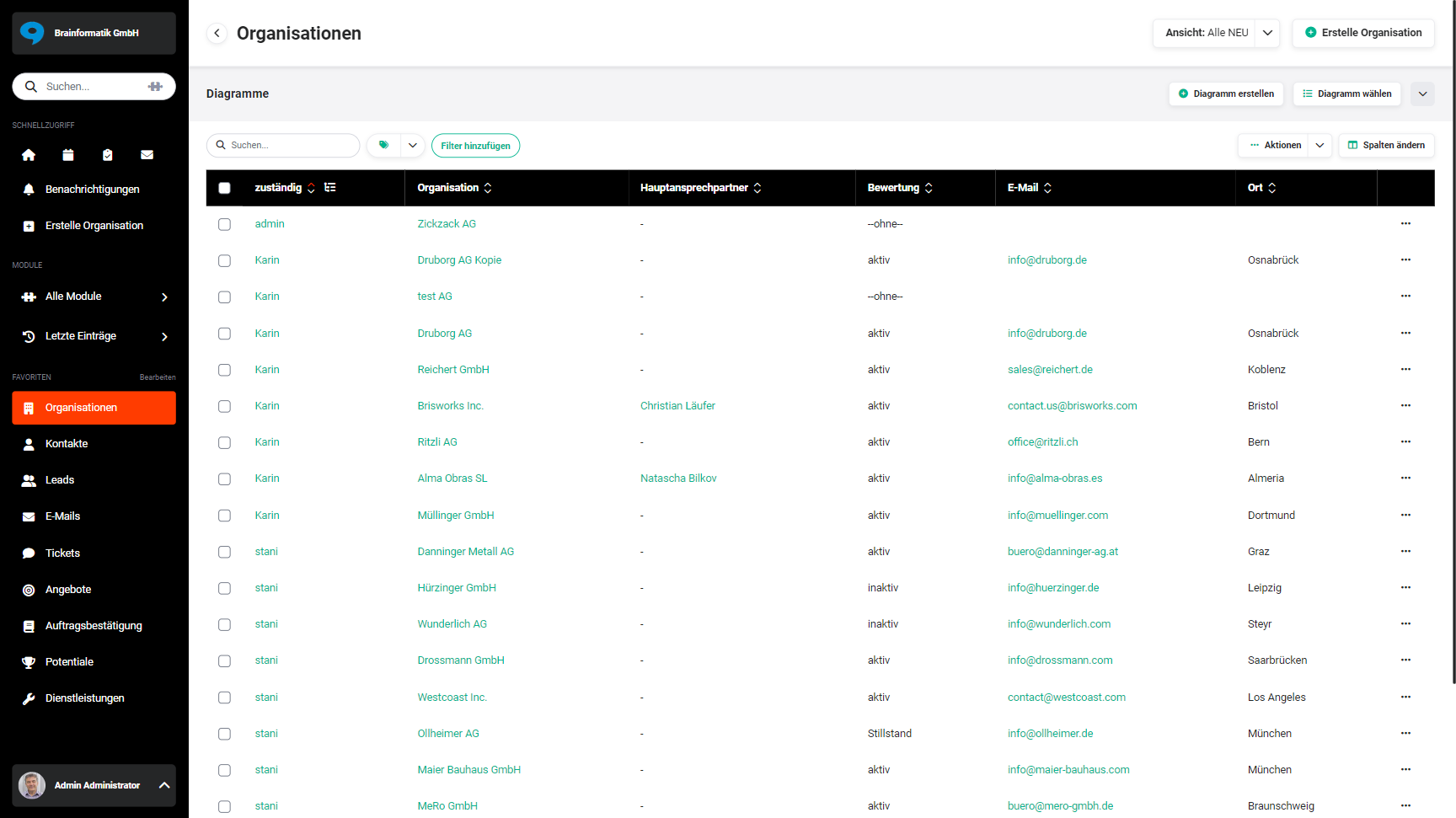 Display of the list view in the Organisations module at monitor resolution
5. Searching the Handbook
To search the handbook for specific topics or terms, use the search function. The search field is located at the top of every page.
The result list shows up to three matching sections per page. Clicking a section jumps directly to the corresponding place on the page, and the section is briefly highlighted.
When several search terms are entered, only pages containing all of the terms are found. Terms are also found as part of a word, e.g. interval also finds billing interval. If no page contains all of the terms, the results for the individual terms are shown automatically.
The following entries help to narrow down the search:
| Entry | Effect | Example |
|---|---|---|
| "…" | Finds exactly this word or exactly this sequence of words. | "Change Billing Interval" |
| - | Excludes sections containing this term. | template -email |
| OR or ODER | Finds one term or the other. Must be written in capitals. | invoice OR credit |
| site: | Searches only the named page and its subpages. The page name must match the navigation exactly; use quotation marks for names with several words. | site:Contracts price |
The entries can be combined, e.g. site:"Global Settings" ZUGFeRD -export.
6. Demo Data
A demo system with numerous records and demo data was used to create the screenshots.
This data is of course not real, for data protection reasons!
The names, addresses, phone numbers, images, etc. used are entirely fictional data, which is however required for creating the screenshots.
7. Handbook Language
This handbook is available in both German and English. The preferred language can be selected at any time using the language buttons in the top-right corner of the header.
The screenshots used throughout this handbook show the German user interface exclusively. As a result, even in the English-language sections of the handbook, the content displayed in screenshots is in German. However, the functions and workflows described apply equally to both language versions of the software.
8. Handbook Feedback
Have you spotted an error, found an outdated screenshot, or would you like to suggest an improvement? At the bottom of every handbook page you will find the link "Send feedback".
Clicking it opens a form where you can provide the following information:
- Category – Type of feedback (e.g. error in documentation, suggestion for improvement, content unclear, missing topic, incorrect screenshot, outdated information)
- Description – Description of the issue or suggestion (max. 1,000 characters)
- Name and email – optional, in case we have follow-up questions
The URL of the current page is automatically included, so we can assign your feedback directly to the relevant page.
The more precise your description, the faster we can improve the handbook.