
Dashboard
Package: BASIC
1. General
The Dashboard is the central module in brainX. One or more dashboards can be configured on the Dashboard. Within a dashboard, individual widgets can be created that provide, for example, a quick overview of data from selected modules.
The Dashboard is automatically displayed as the first page after each login. One or more dashboards can be created on it, which can be organized in separate tabs — for example, by areas such as Sales, Marketing, or Finance.
One or more widgets can be added to each dashboard. Widgets display information from various modules and areas and bundle it in a central location.
The Dashboard is accessible at any time via the house icon in the left sidebar.
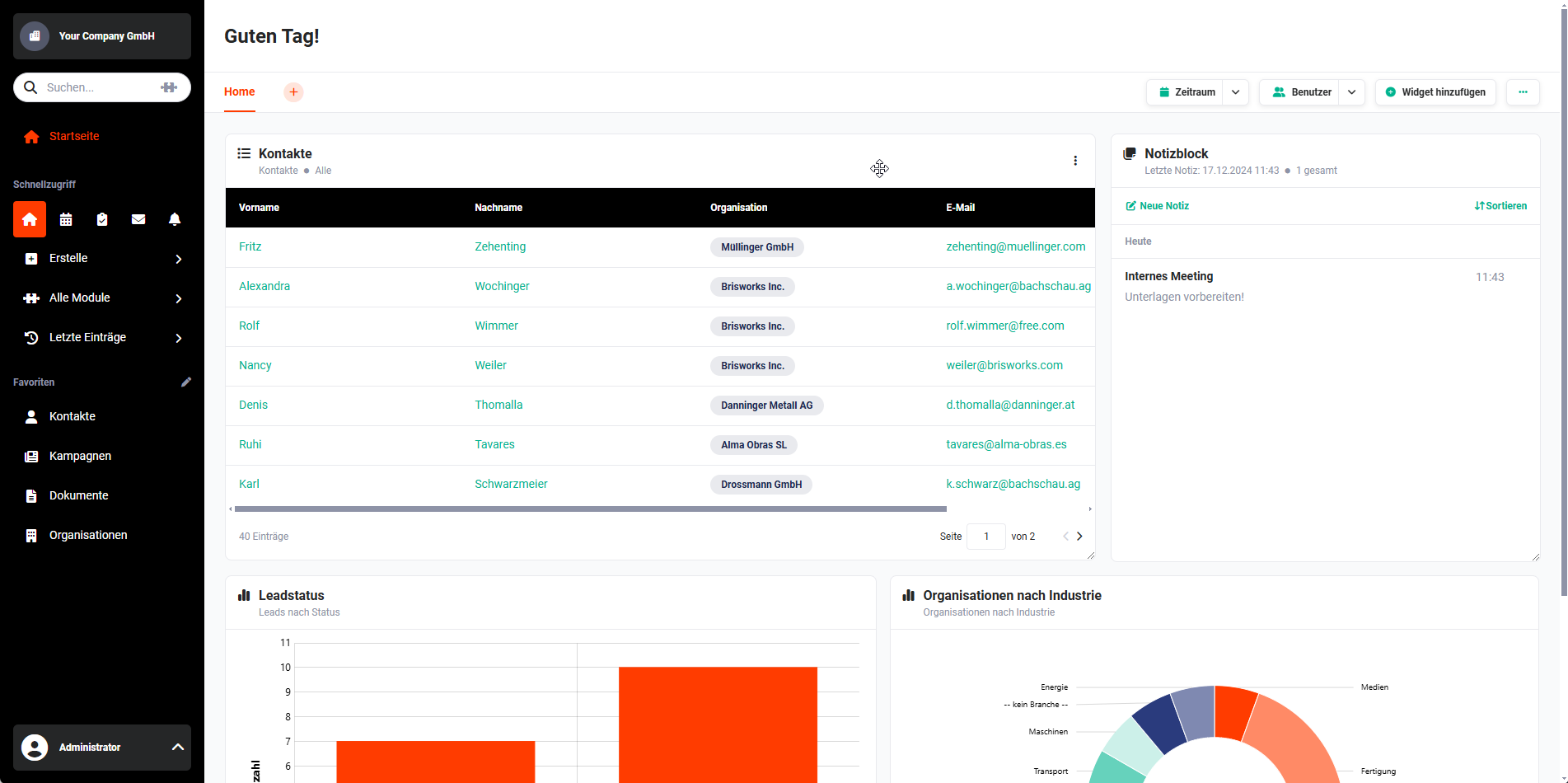 Example Dashboard with Widgets
2. Dashboards and Widgets
Information from the modules is displayed in widgets as lists or graphically. It is possible to create special widgets such as country maps, notepads, tag clouds, and more.
A list of all available widgets is available in the Dashboard Widgets section.
The following sub-pages describe the creation and configuration of dashboards as well as the creation of widgets in detail:
3. Examples
The following dashboard examples show some of the many possibilities offered by different widgets.
In the example screenshots, the following dashboards are configured on the user's start page:
- Dashboard → Widgets: Tasks & Appointments, Widget Group and Tag Cloud
- Cashflow → Widgets: Cashflow and Report
- Sales → Widgets: Sales Funnel, Widget Group, Chart and Localization
- Marketing → Widgets: Widget Group, Notepad, Chart
- Support → Widgets: Widget Group, Chart and Chart
- Projects → Widgets: Widget Group, Chart and Chart
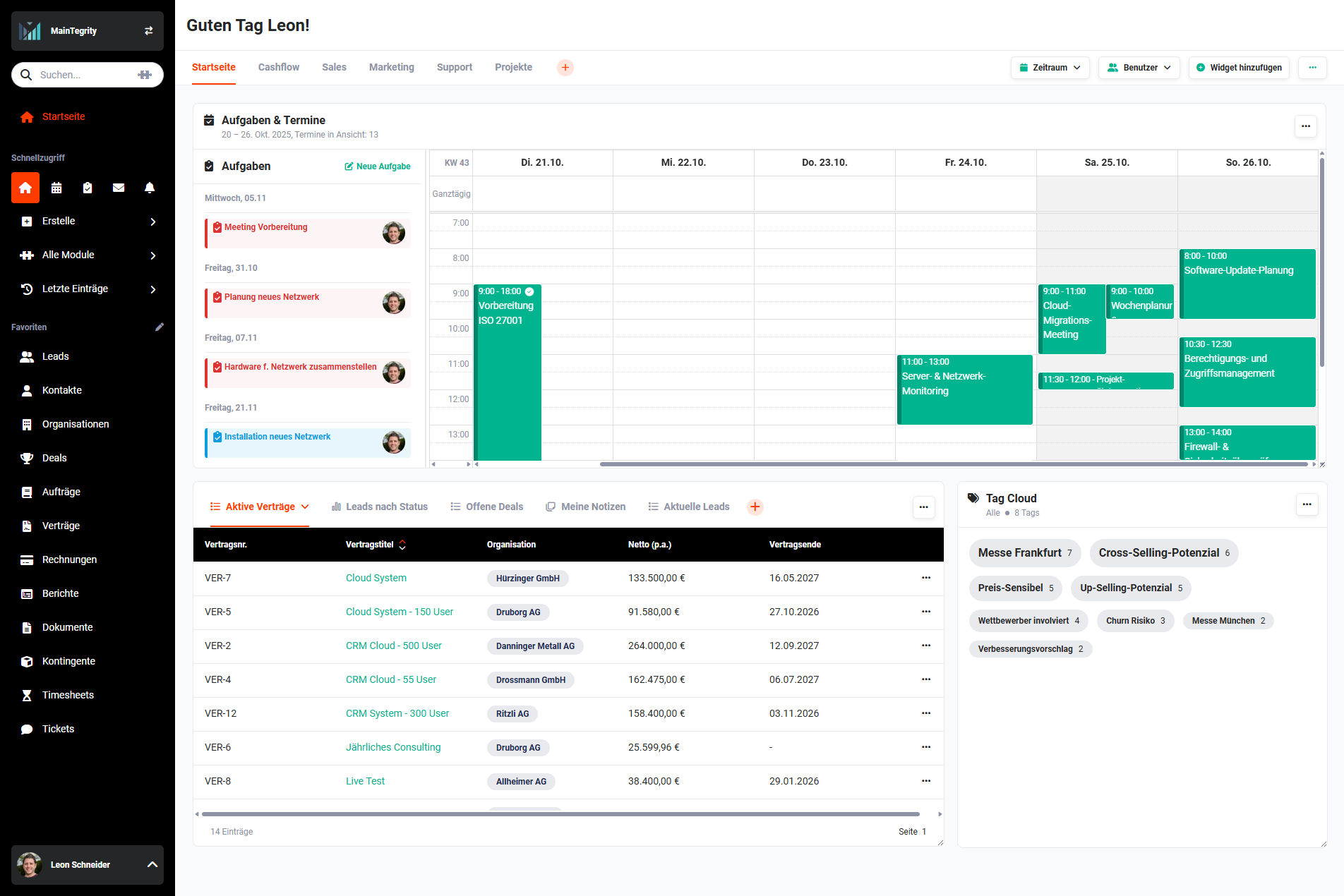 Dashboard Home
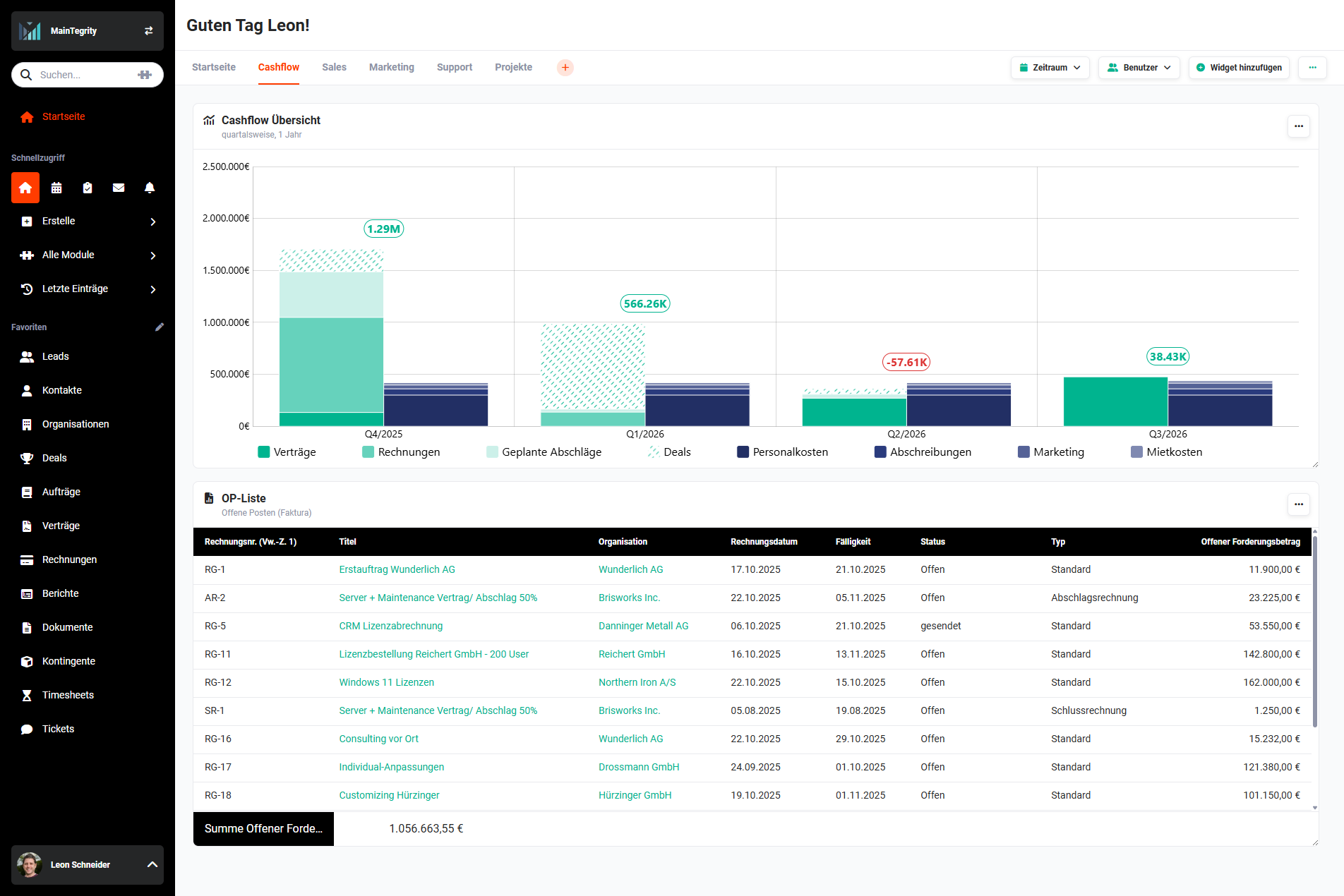 Dashboard Cashflow
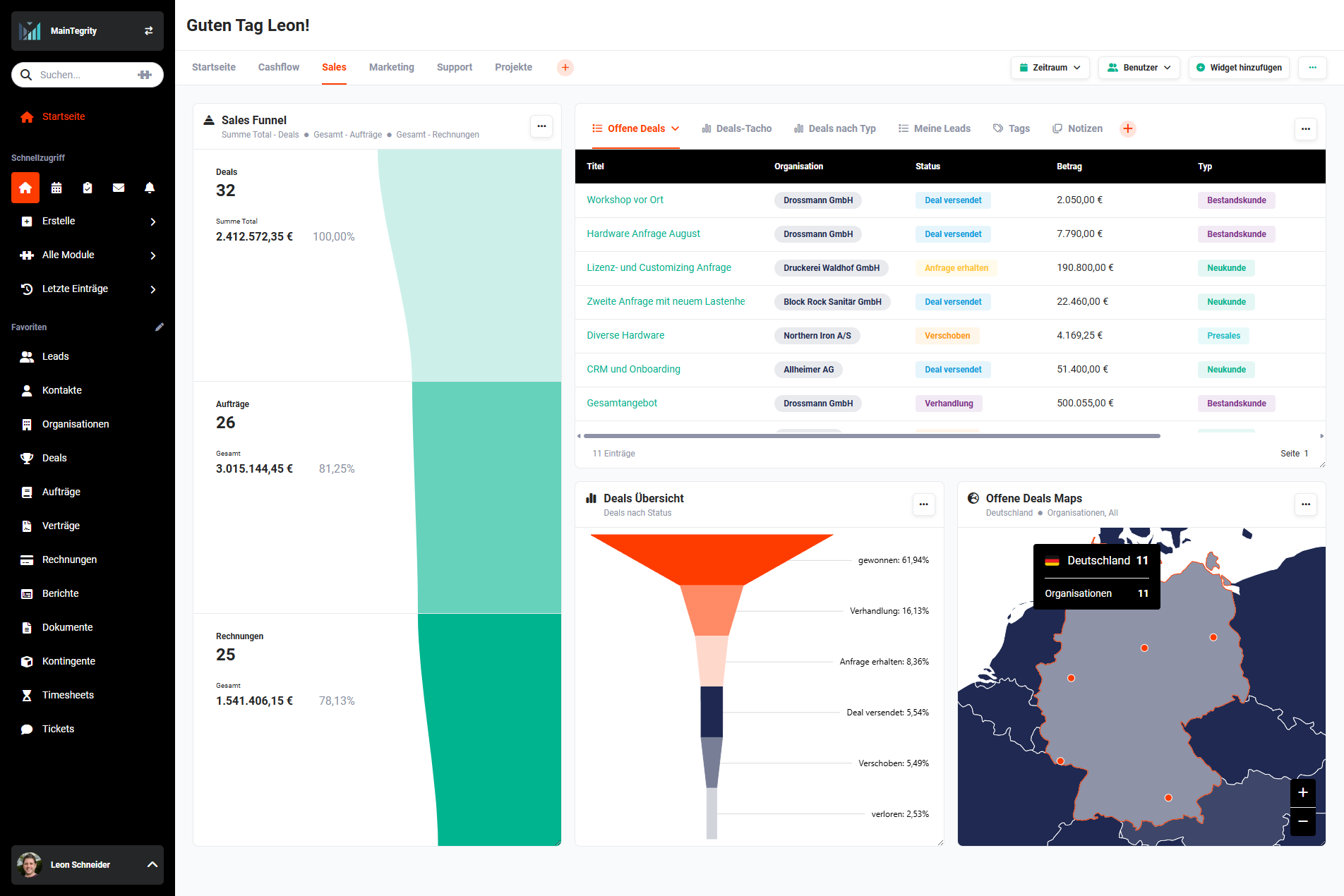 Dashboard Sales
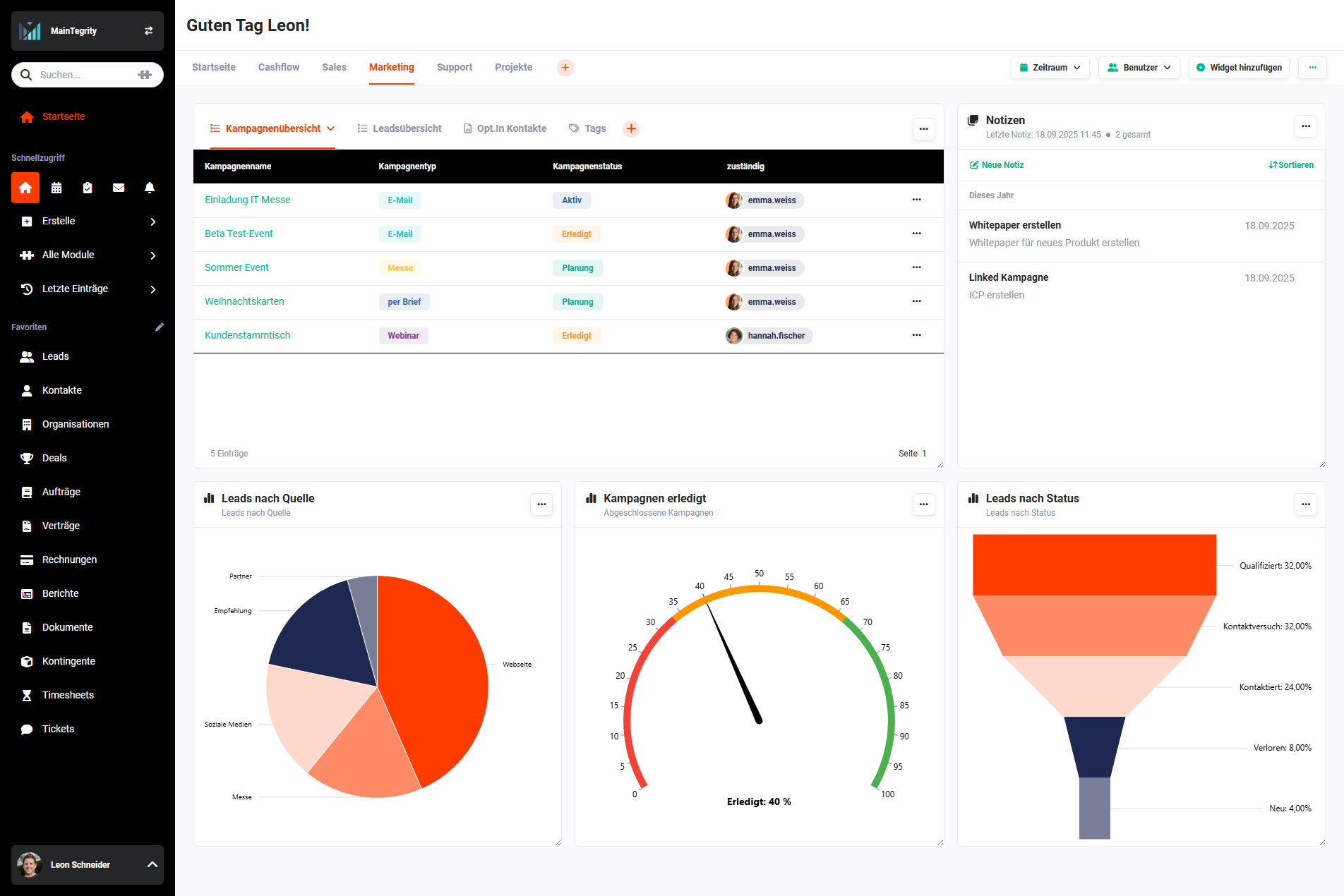 Dashboard Marketing
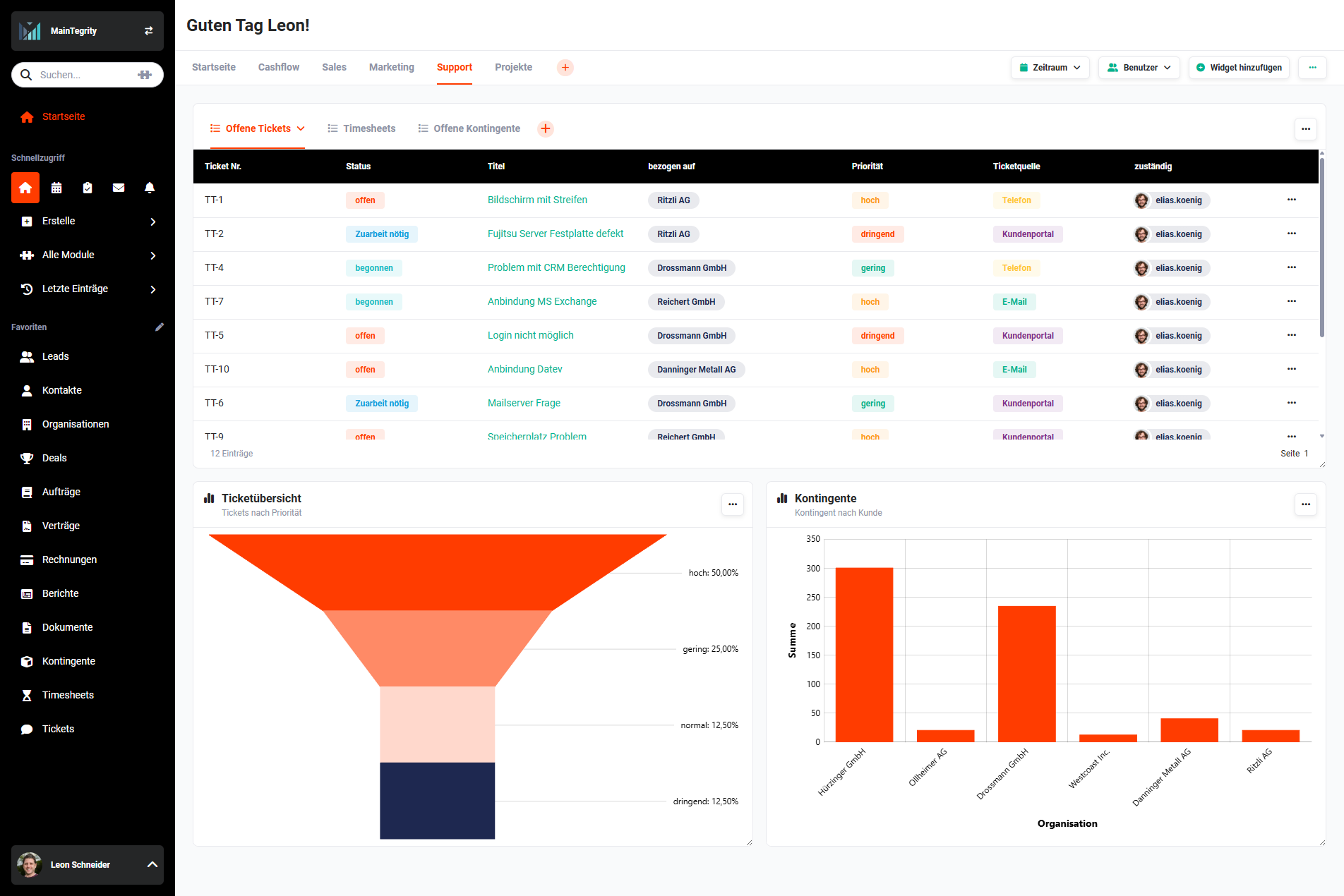 Dashboard Support
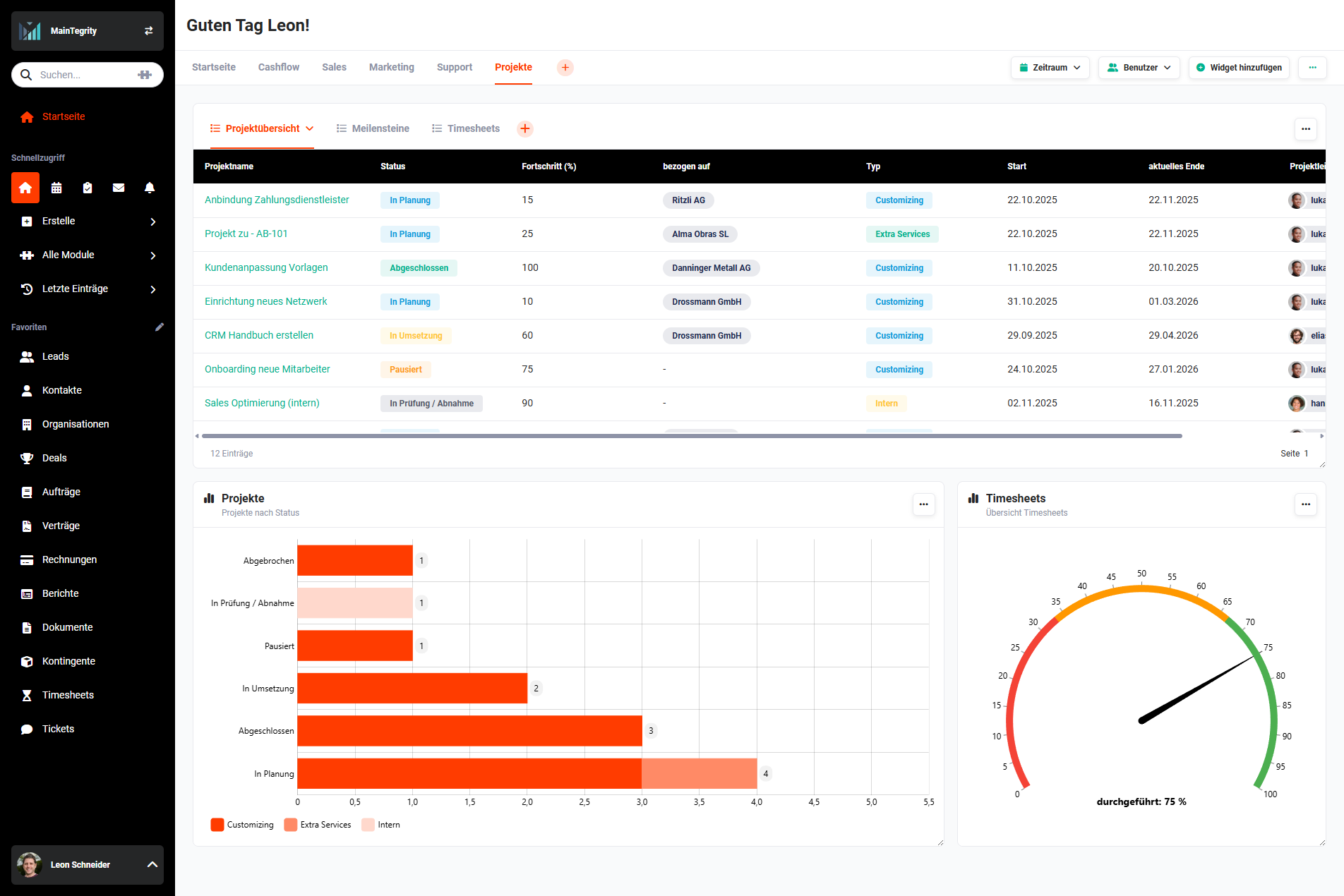 Dashboard Projects