
Support Escalation Level 2
Package: BASIC
1. General
The automation "8.2 | Support Escalation Level 2" escalates tickets that support has still not responded to even after Escalation Level 1 to the second level – with an additional email notification to support.
The automation is part of the brainX delivery and is included in both versions (brainX CRM and brainX APP). On delivery it is deactivated (status inactive).
Design and structure
The automation consists of one trigger and three priority-dependent condition strands. Unlike Level 1, emails are also sent to support in addition to the internal notification:
| Node no. | Name | Type |
|---|---|---|
| #1) | Escalation Level 2 | Trigger (Tickets module) |
| #2) | Prio normal, support reply pending | Condition |
| #3) | Info to support by notification after 4 days | Action – Notification |
| #4) | Set escalation level 1 after 4 days | Action – Update record |
| #5) | Prio high, support reply pending | Condition |
| #6) | Info to support by notification after 2 days | Action – Notification |
| #7) | Set escalation level 2 after 2 days | Action – Update record |
| #8) | Prio urgent, support reply pending | Condition |
| #9) | Info to support by notification after 8 hours | Action – Notification |
| #10) | Set escalation level 2 after 8 hours | Action – Update record |
| #11) | Info to support by email after 4 days | Action – Send email |
| #12) | Info to support by email after 2 days | Action – Send email |
| #13) | Info to support by email after 8 hours | Action – Send email |
Waiting times by priority:
| Priority | Waiting time until Escalation Level 2 |
|---|---|
| Normal / Low | 4 days (after Escalation Level 1) |
| High | 2 days (after Escalation Level 1) |
| Urgent | 8 hours (after Escalation Level 1) |
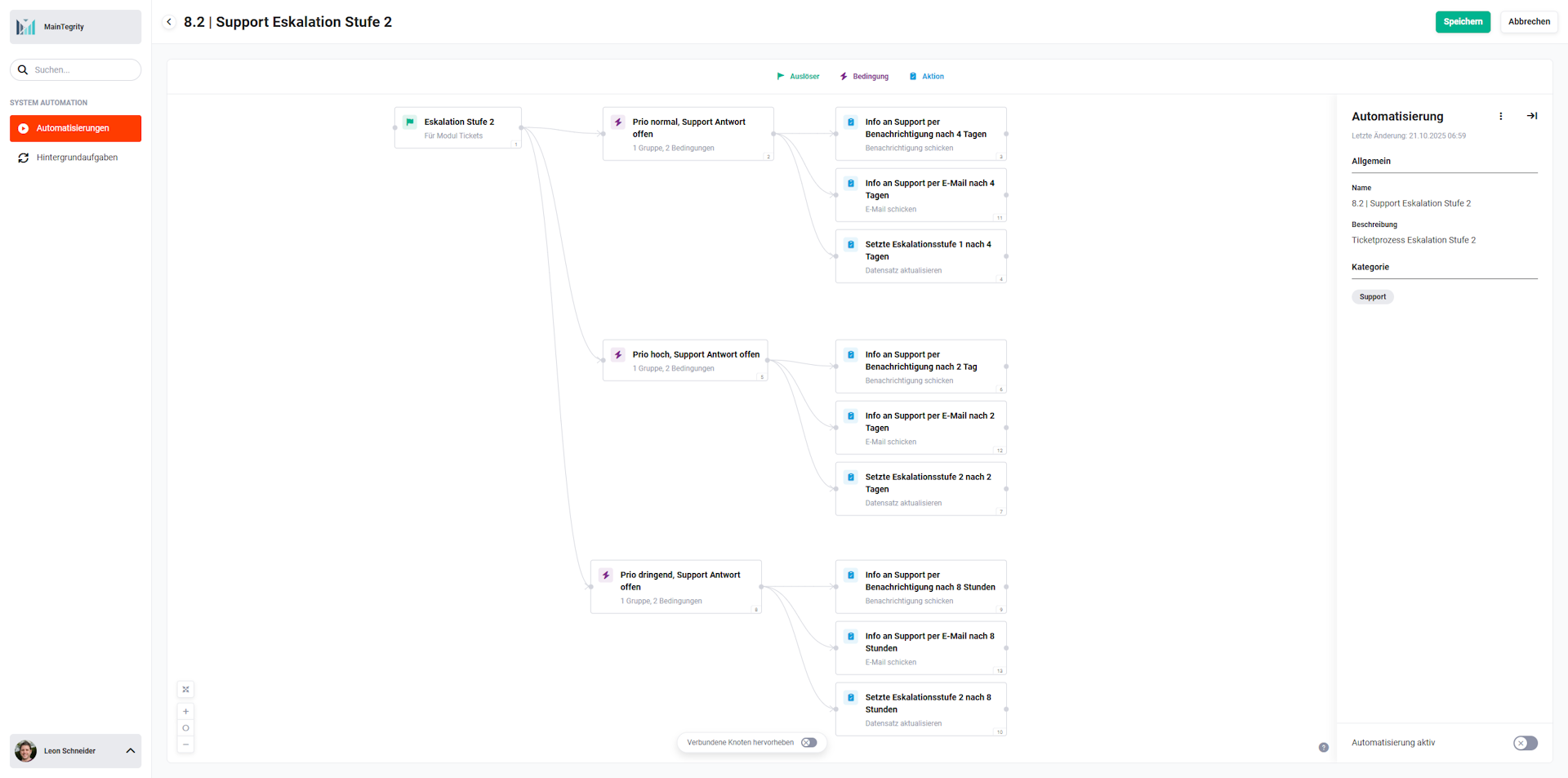 Overview 8.2 | Support Escalation Level 2
1.1. Support Escalation Level 2 – Trigger, conditions and actions
1.1.1. Escalation Level 2 (Trigger - #1)
Trigger in the Tickets module. Responds to the saving of a ticket record and checks in the downstream conditions whether an escalation to Level 2 should be triggered.
Connections to preceding/following nodes:
- preceding: none
- following:
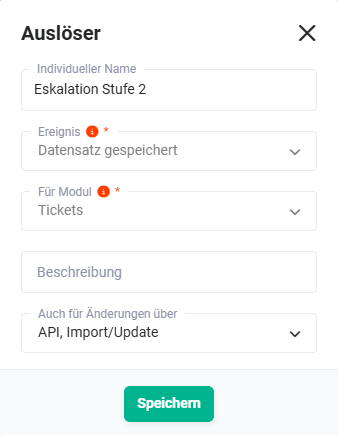 Trigger “Escalation Level 2”
1.1.2. Prio normal, support reply pending (Condition - #2)
Checks whether the ticket has priority normal or low, no support reply exists yet and escalation level 1 has already been set. If this applies, notification (#3), email (#11) and escalation level 2 (#4) are initialised as scheduled actions after 4 days.
Connections to preceding/following nodes:
- preceding: Escalation Level 2 (Trigger - #1))
- following (met):
- following (not met): none
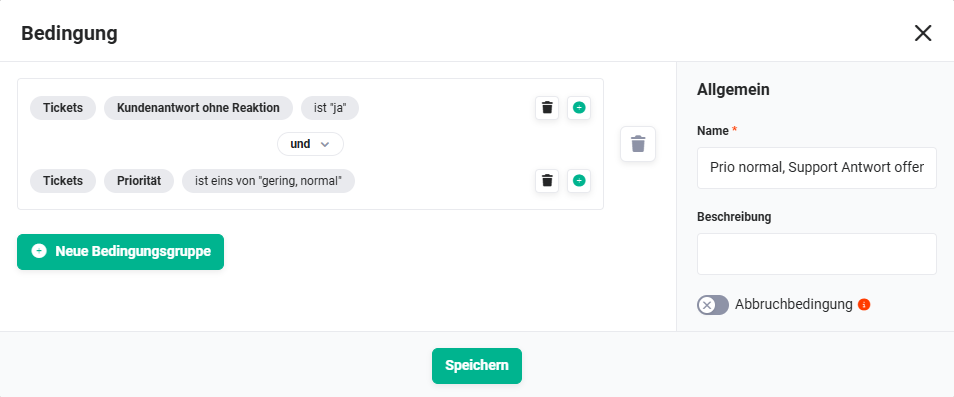 Condition “Prio normal, support reply pending”
1.1.3. Info to support by notification after 4 days (Action - #3)
Sends an internal notification (bell) to support after 4 days.
Connections to preceding/following nodes:
- preceding: Prio normal, support reply pending (Condition - #2))
- following: none
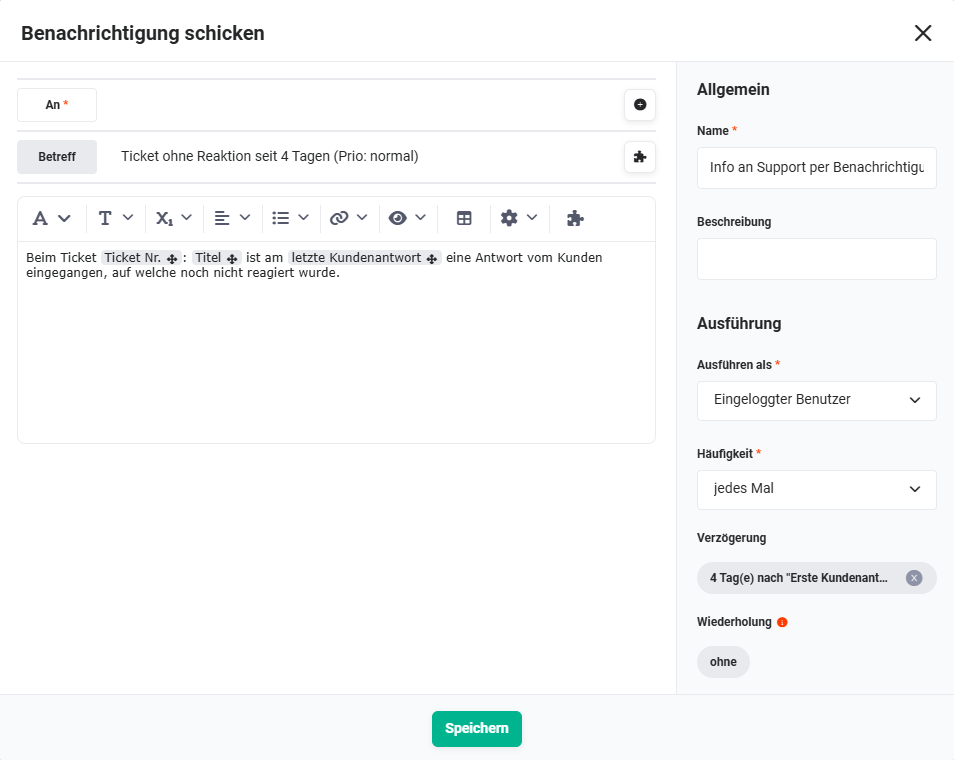 Action “Info to support by notification after 4 days”
1.1.4. Set escalation level 1 after 4 days (Action - #4)
Sets the Escalation level field on the ticket to Level 2 after 4 days.
Note The name of the node in the system is “Set escalation level 1 after 4 days”, but it actually sets escalation level 2 – the node name in the system can differ from the actual function.
Connections to preceding/following nodes:
- preceding: Prio normal, support reply pending (Condition - #2))
- following: none
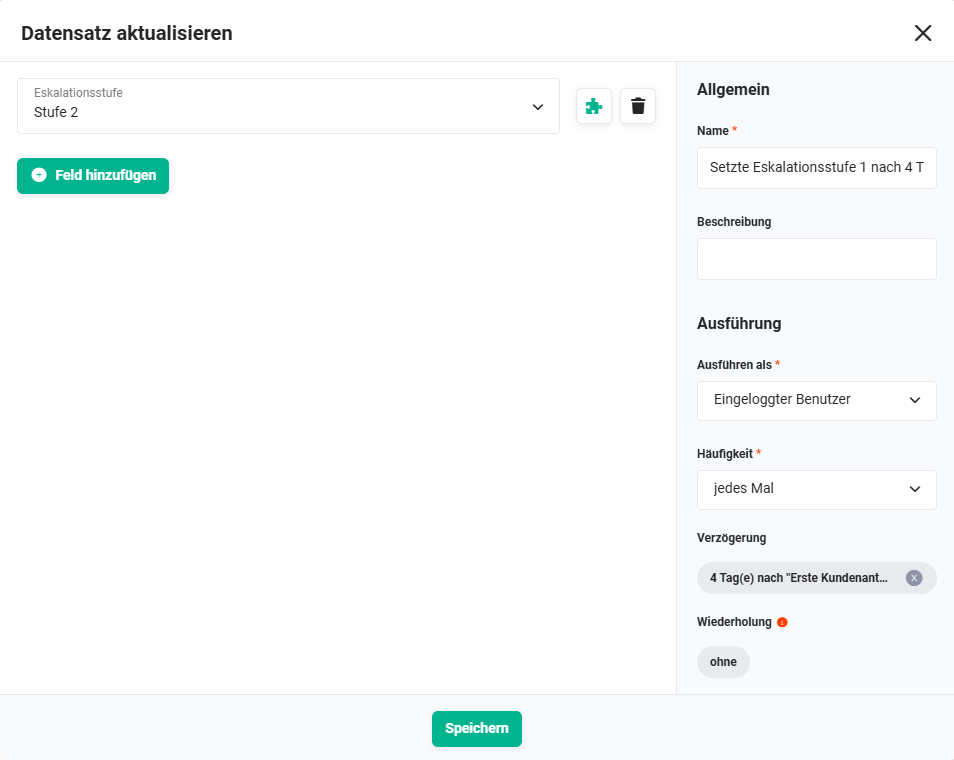 Action “Set escalation level 1 after 4 days”
1.1.5. Prio high, support reply pending (Condition - #5)
Corresponds to Condition #2, but for tickets with priority high. Waiting time: 2 days.
Connections to preceding/following nodes:
- preceding: Escalation Level 2 (Trigger - #1))
- following (met):
- following (not met): none
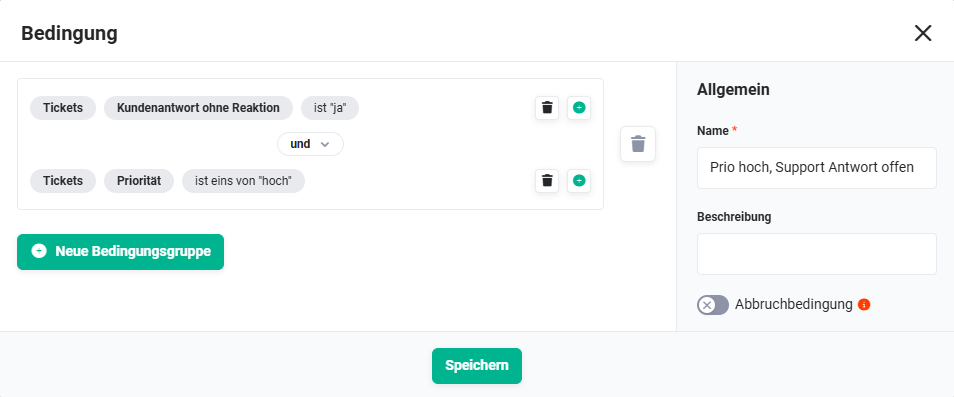 Condition “Prio high, support reply pending”
1.1.6. Info to support by notification after 2 days (Action - #6)
Sends an internal notification to support after 2 days.
Connections to preceding/following nodes:
- preceding: Prio high, support reply pending (Condition - #5))
- following: none
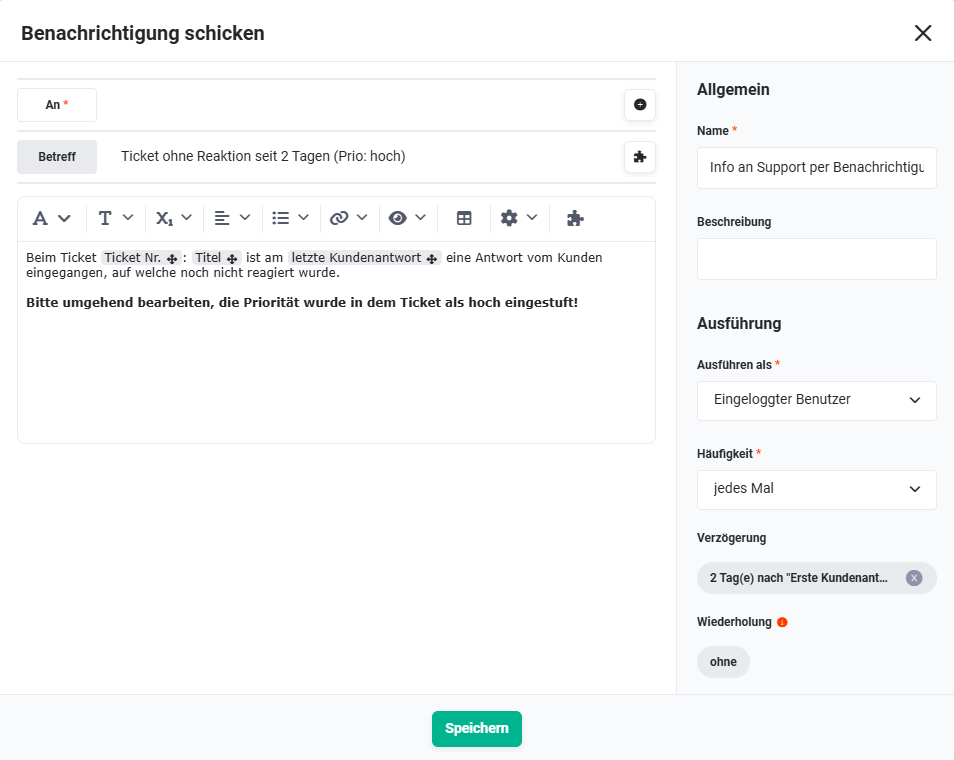 Action “Info to support by notification after 2 days”
1.1.7. Set escalation level 2 after 2 days (Action - #7)
Sets the Escalation level field on the ticket to Level 2 after 2 days.
Connections to preceding/following nodes:
- preceding: Prio high, support reply pending (Condition - #5))
- following: none
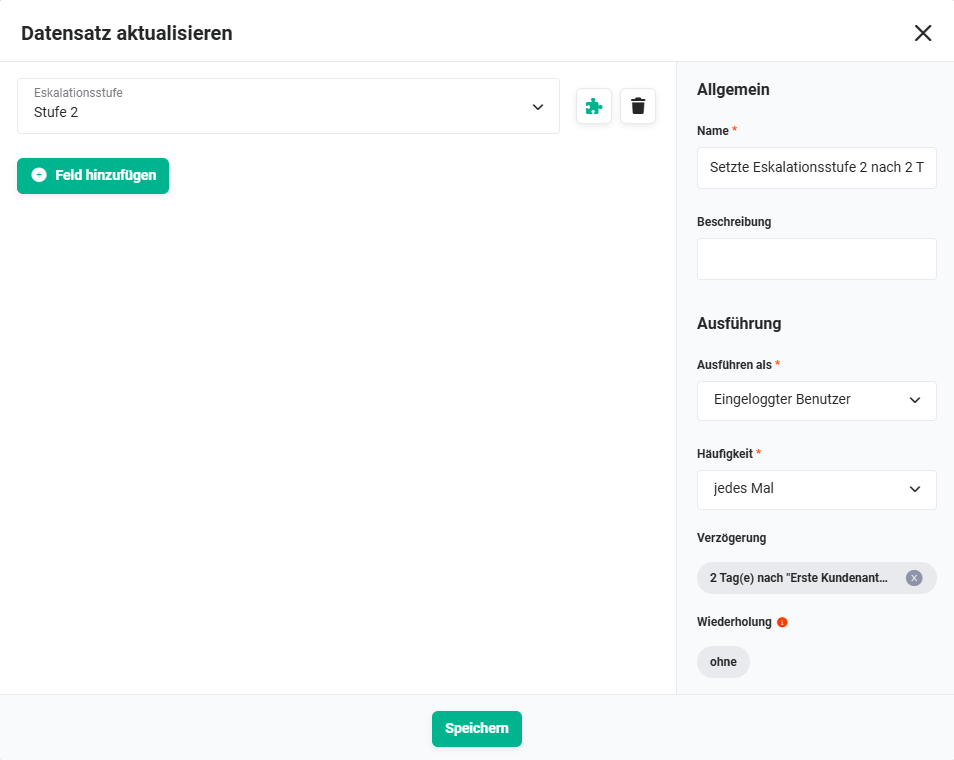 Action “Set escalation level 2 after 2 days”!
1.1.8. Prio urgent, support reply pending (Condition - #8)
Corresponds to Condition #2), but for tickets with priority urgent. Waiting time: 8 hours.
Connections to preceding/following nodes:
- preceding: Escalation Level 2 (Trigger - #1))
- following (met):
- following (not met): none
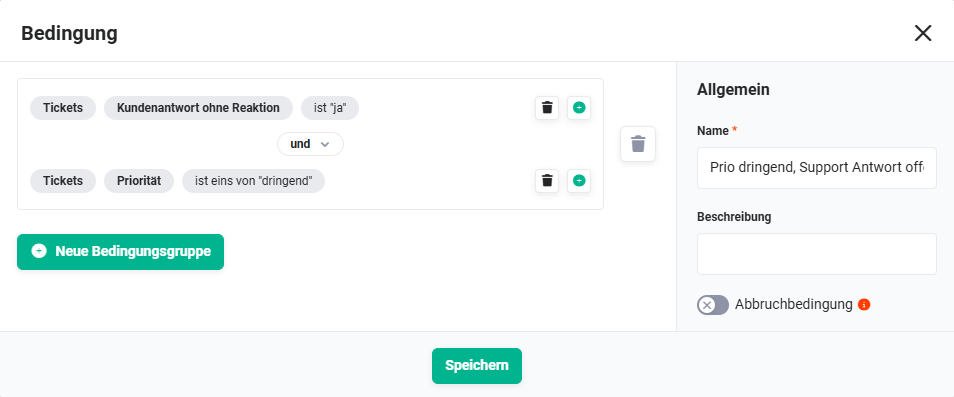 Condition “Prio urgent, support reply pending”
1.1.9. Info to support by notification after 8 hours (Action - #9)
Sends an internal notification to support after 8 hours.
Connections to preceding/following nodes:
- preceding: Prio urgent, support reply pending (Condition - #8))
- following: none
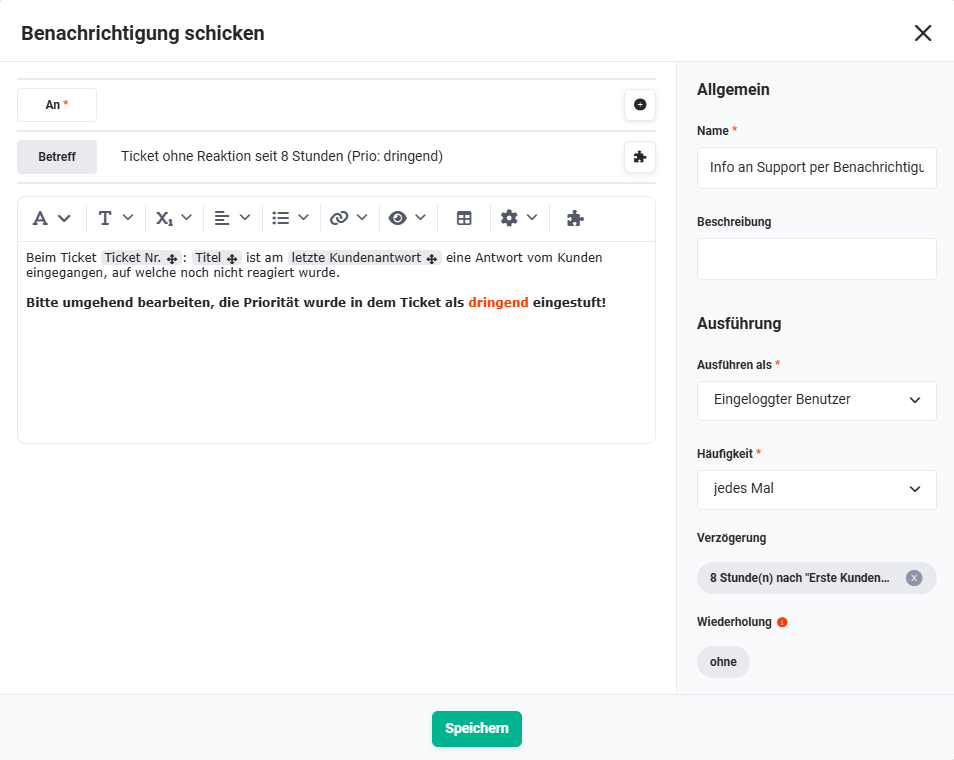 Action “Info to support by notification after 8 hours”
1.1.10. Set escalation level 2 after 8 hours (Action - #10)
Sets the Escalation level field on the ticket to Level 2 after 8 hours.
Connections to preceding/following nodes:
- preceding: Prio urgent, support reply pending (Condition - #8))
- following: none
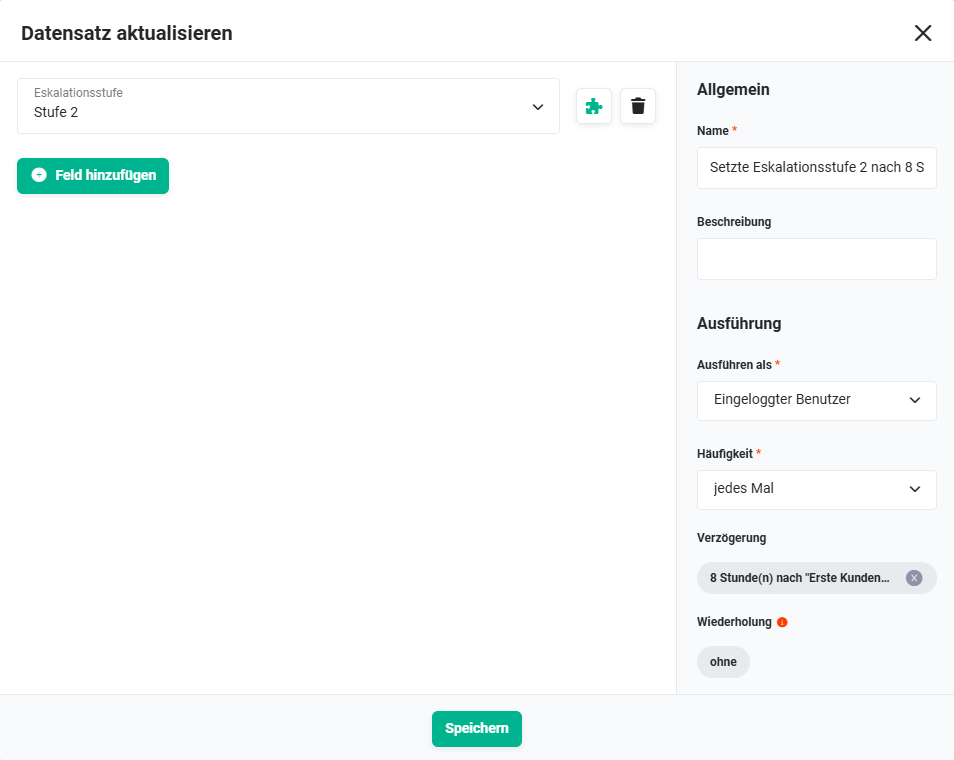 Action “Set escalation level 2 after 8 hours”
1.1.11. Info to support by email after 4 days (Action - #11)
In addition to the notification (#3), sends an email to support after 4 days. This email allows forwarding to superiors or other persons responsible for escalation.
Connections to preceding/following nodes:
- preceding: Prio normal, support reply pending (Condition - #2))
- following: none
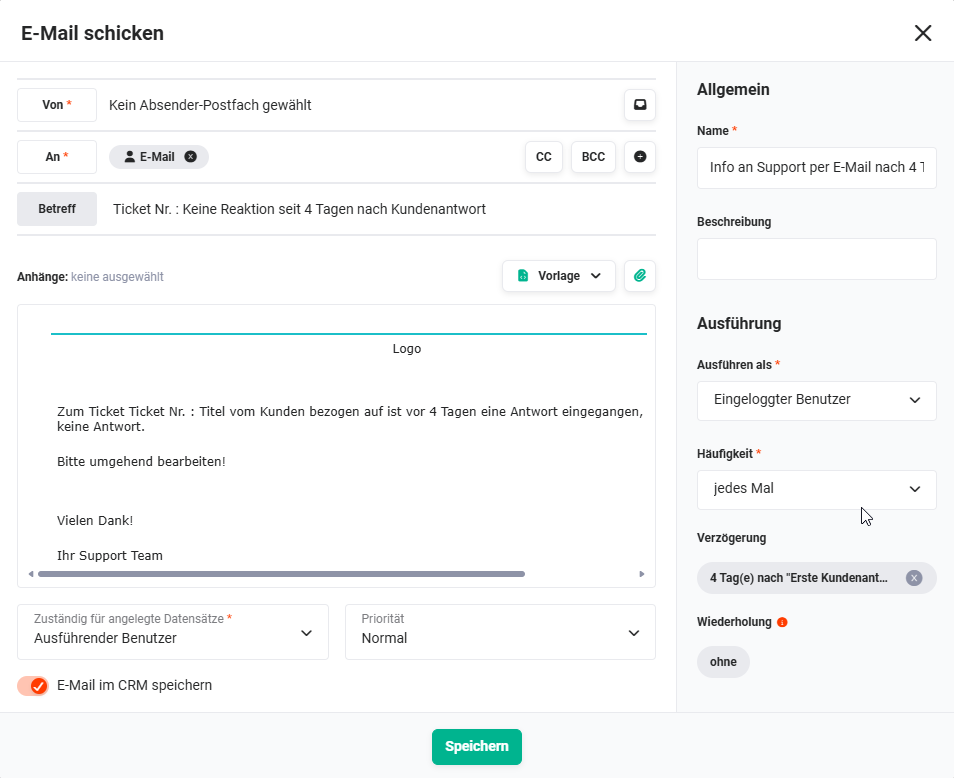 Action “Info to support by email after 4 days”
1.1.12. Info to support by email after 2 days (Action - #12)
In addition to the notification (#6)), sends an email to support after 2 days.
Connections to preceding/following nodes:
- preceding: Prio high, support reply pending (Condition - #5))
- following: none
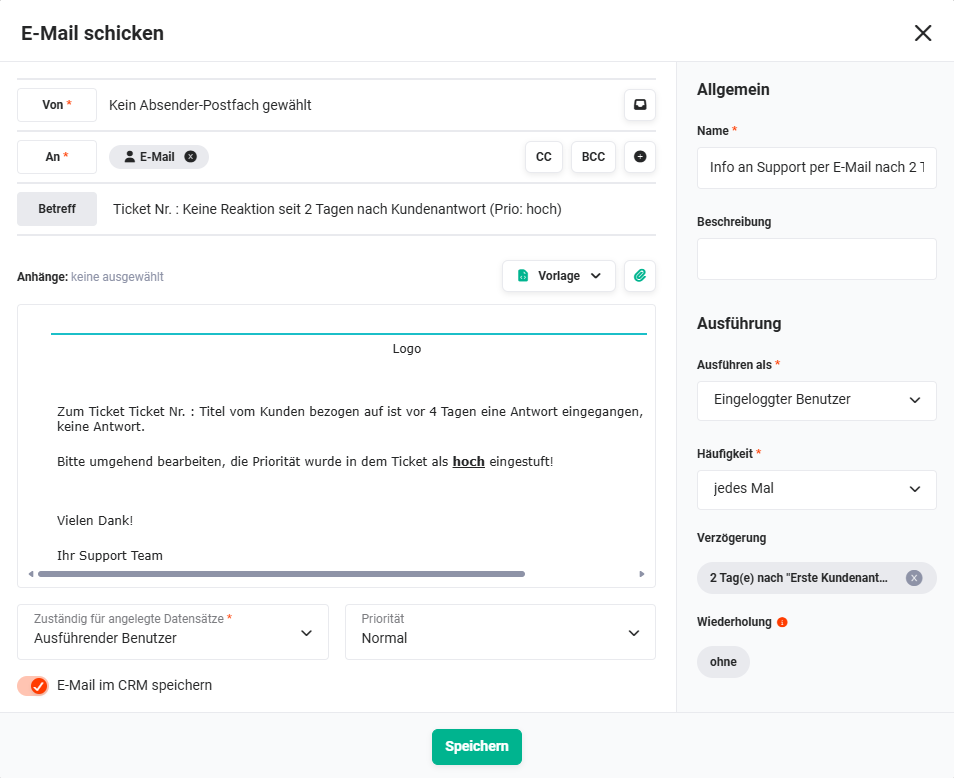 Action “Info to support by email after 2 days”
1.1.13. Info to support by email after 8 hours (Action - #13)
In addition to the notification (#9), sends an email to support after 8 hours.
Connections to preceding/following nodes:
- preceding: Prio urgent, support reply pending (Condition - #8))
- following: none
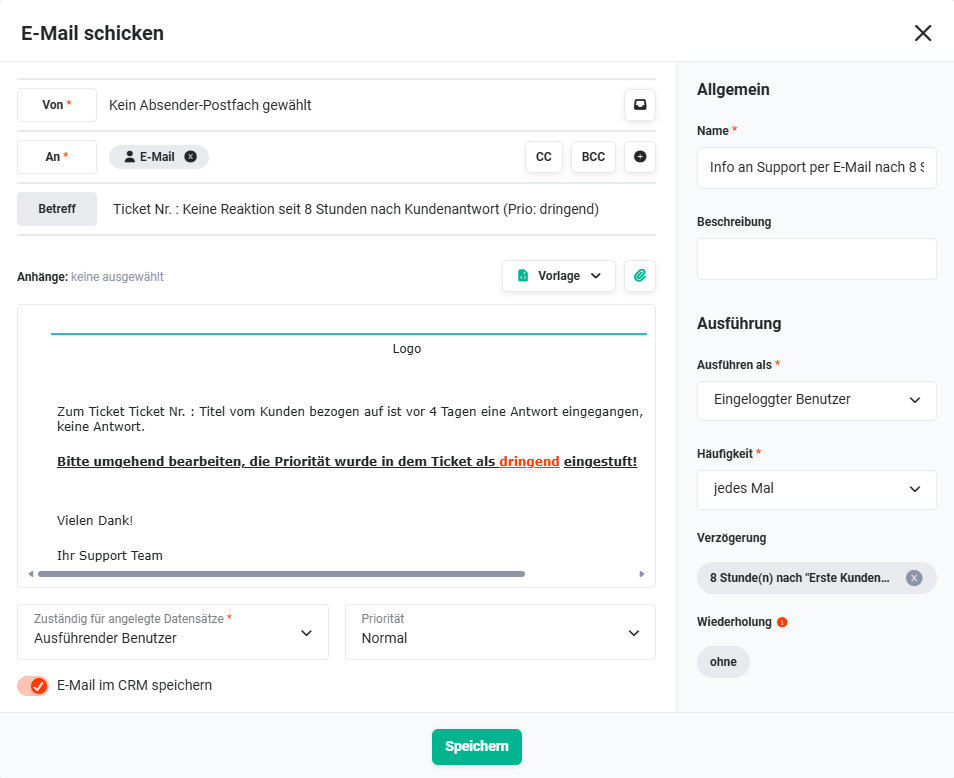 Action “Info to support by email after 8 hours”