
View (Detail View)
Package: BASIC
1. General
The structure of the detail view is the same or very similar in most modules (exceptions include modules such as Reports, Email Accounts or Templates).
In the detail view of a record (tab Information), fields and their values are displayed, with fields grouped thematically in blocks.
2. Tabs: Information, Relations and Dashboard
The detail view of a record is divided into three tabs:
- Information → Display of fields grouped in blocks, plus various actions
- Relations → Display of linked (referenced) records grouped in blocks, plus various actions
- Dashboard → Display of freely configurable widgets
Further information on these items is available in the linked sections.
3. View
The detail view is fundamentally divided into several "blocks". A "block" is generally a summary of several thematically related fields.
For detail views, customised views can be created in which it can be precisely defined which fields/blocks are displayed or hidden and how they are positioned.
Customised views can be configured in Global Settings – Module Management – Layout.
Switching between multiple views is done via the View action icon (eye icon).
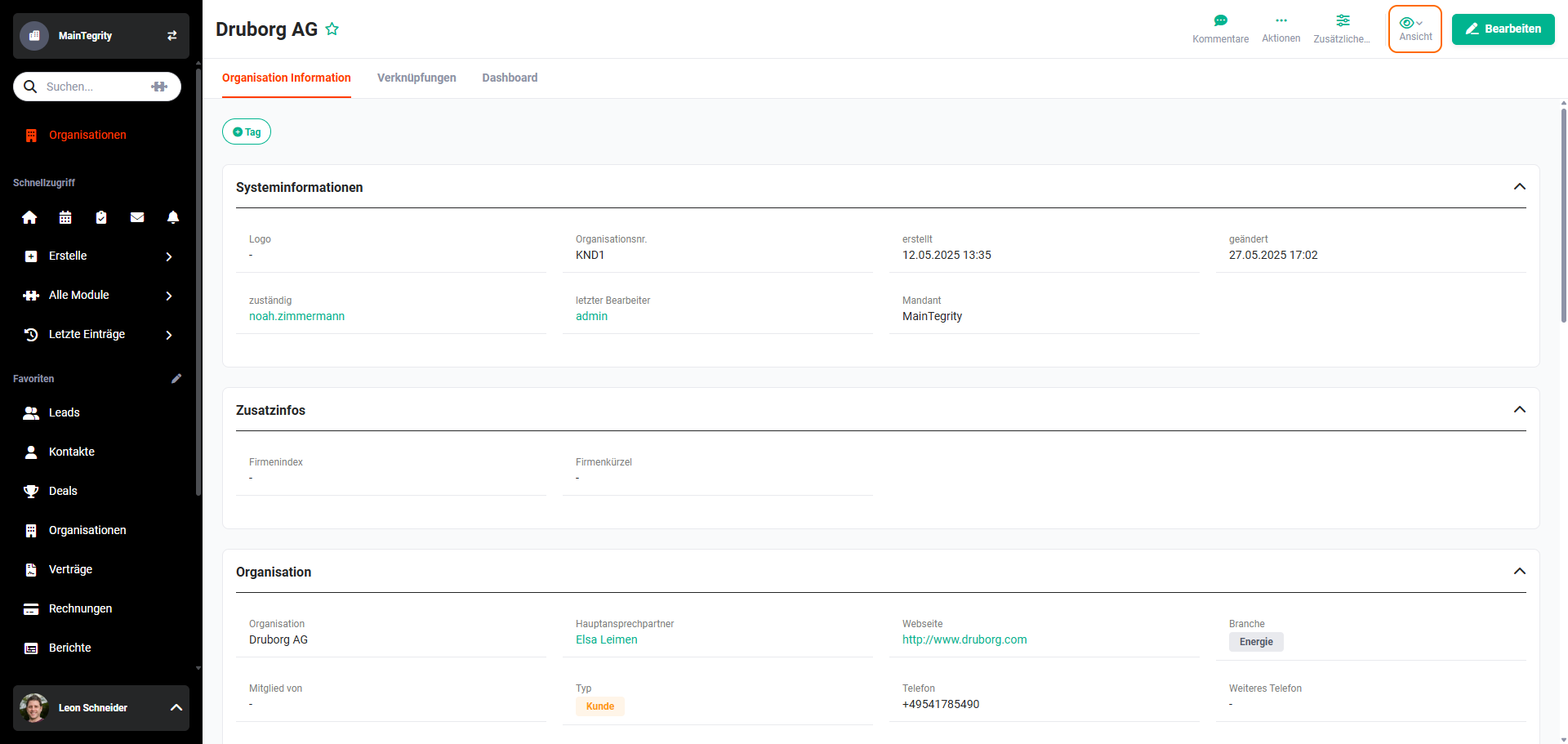 Detail View – View Action
Further information on views: Actions (Detail View) – View.