
Search in Settings
Package: BASIC
1. General
Since brainX has a large number of settings items, a search function has been integrated to allow settings items to be found quickly.
2. Executing a Search
From the third character entered in the search field, the first results are already suggested. As further characters are entered, the results list is automatically narrowed down. As soon as the desired settings item appears, a single click on the corresponding entry in the results list is sufficient to open it directly.
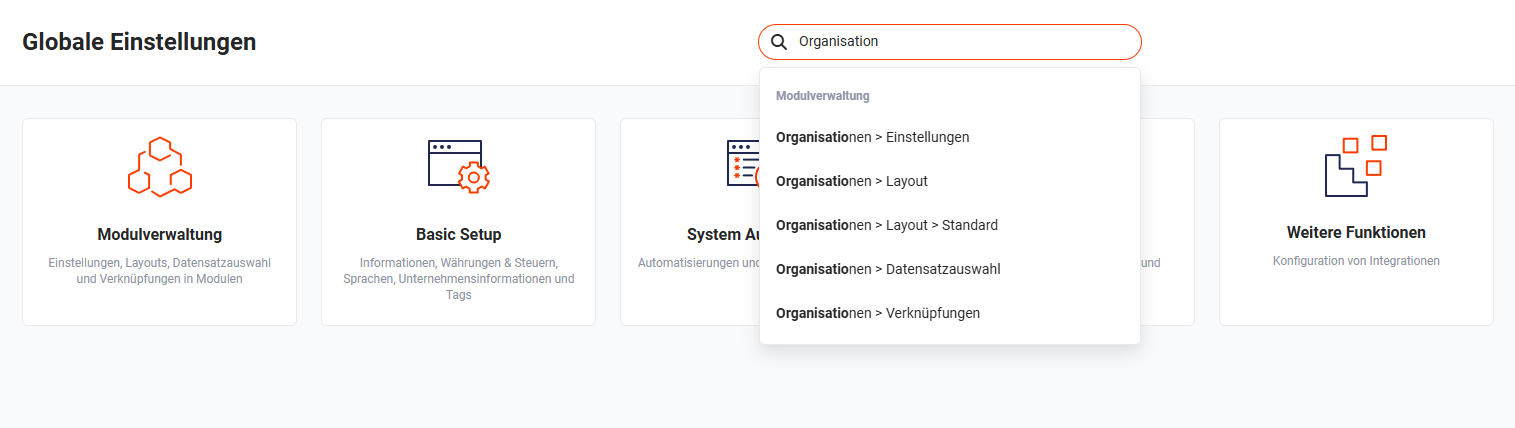 Example: Search for settings relating to "Organisation"
The search covers not only the name of the settings item but also the parent path. This makes it possible to narrow down the search by entering the module name and settings designation simultaneously.
Entering "Con" returns all settings items whose path or name contains the character string "Con" — for example, results from the modules Contacts or Contracts.
By extending the search term with " > Lay" — i.e. entering "Con > Lay" — the results list is narrowed to settings items that contain both "Con" in the parent path and "Lay" in the name, e.g.:
- Contacts > Layout
- Contacts > Layout > Standard
- Contracts > Layout
- Contracts > Layout > Standard