
Support Escalation Level 1
Package: BASIC
1. General
The automation "8.1 | Support Escalation Level 1" monitors open tickets that support has not yet responded to and escalates them after a priority-dependent waiting period through internal notifications.
The automation is part of the brainX delivery and is included in both versions (brainX CRM and brainX APP). Upon delivery it is deactivated (status inactive).
Setup and structure
The automation consists of one trigger and three priority-dependent condition branches:
| Node no. | Name | Type |
|---|---|---|
| #1) | Escalation Level 1 | Trigger (Tickets module) |
| #2) | Prio normal, support response open | Condition |
| #3) | Notify support after 2 days | Action – Notification |
| #4) | Set escalation level 1 after 2 days | Action – Update record |
| #5) | Prio high, support response open | Condition |
| #6) | Notify support after 1 day | Action – Notification |
| #7) | Set escalation level 1 after 1 day | Action – Update record |
| #8) | Prio urgent, support response open | Condition |
| #9) | Notify support after 4 hours | Action – Notification |
| #10) | Set escalation level 1 after 4 hours | Action – Update record |
Waiting times by priority:
| Priority | Waiting time until escalation level 1 |
|---|---|
| Normal / Low | 2 days |
| High | 1 day |
| Urgent | 4 hours |
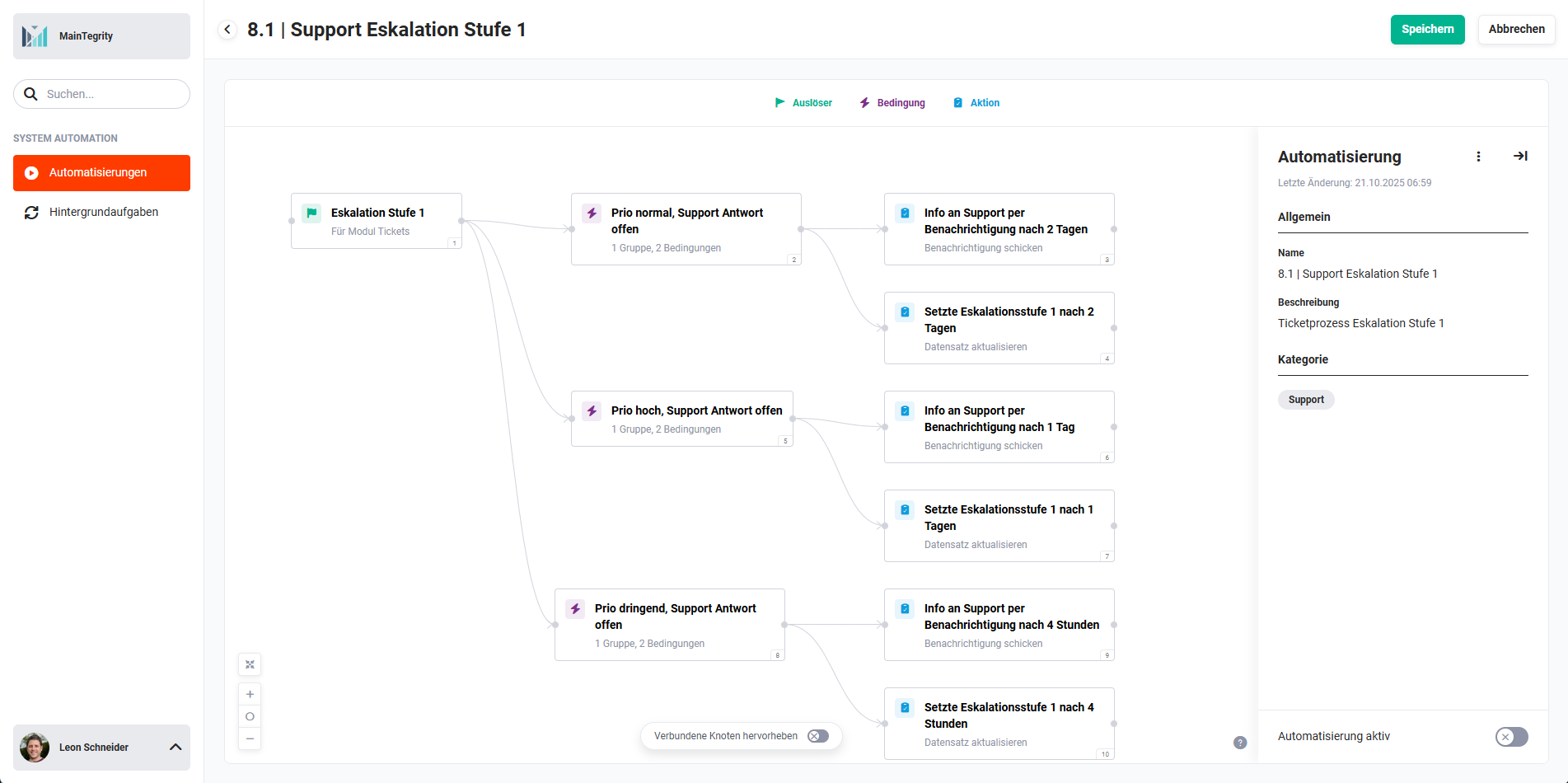 Overview 8.1 | Support Escalation Level 1
1.1. Support Escalation Level 1 – Trigger, conditions and actions
1.1.1. Escalation Level 1 (Trigger - #1)
Trigger in the Tickets module. Responds to the saving of a ticket record and checks, in the downstream conditions, whether an escalation should be triggered.
Connections to nodes before/after:
- before: none
- after:
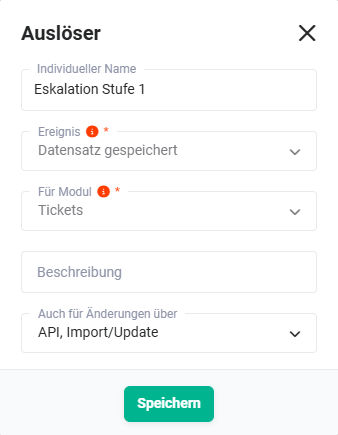 Trigger „Escalation Level 1"
1.1.2. Prio normal, support response open (Condition - #2)
Checks whether the ticket has priority normal or low and no support response has yet been provided. If it applies, a notification (#3)) and the escalation level (#4)) are initialised as scheduled actions after 2 days.
If support or the customer responds in the meantime, the scheduled actions are automatically deleted (Check on every run active).
Connections to nodes before/after:
- before: Escalation Level 1 (Trigger - #1))
- after (met):
- after (not met): none
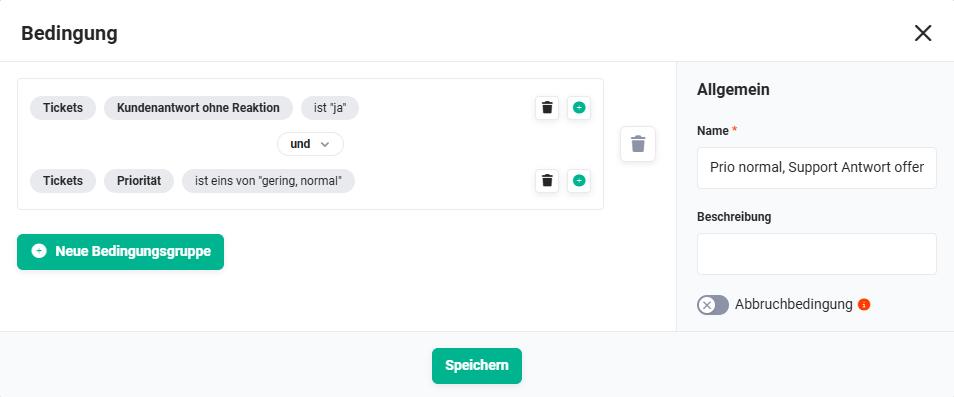 Condition „Prio normal, support response open"
1.1.3. Notify support after 2 days (Action - #3)
Sends an internal notification (bell) to the responsible support employee after 2 days without a support response. The notification is initialised as a scheduled action and is only executed if the condition is still met at the time of execution.
Connections to nodes before/after:
- before: Prio normal, support response open (Condition - #2))
- after: none
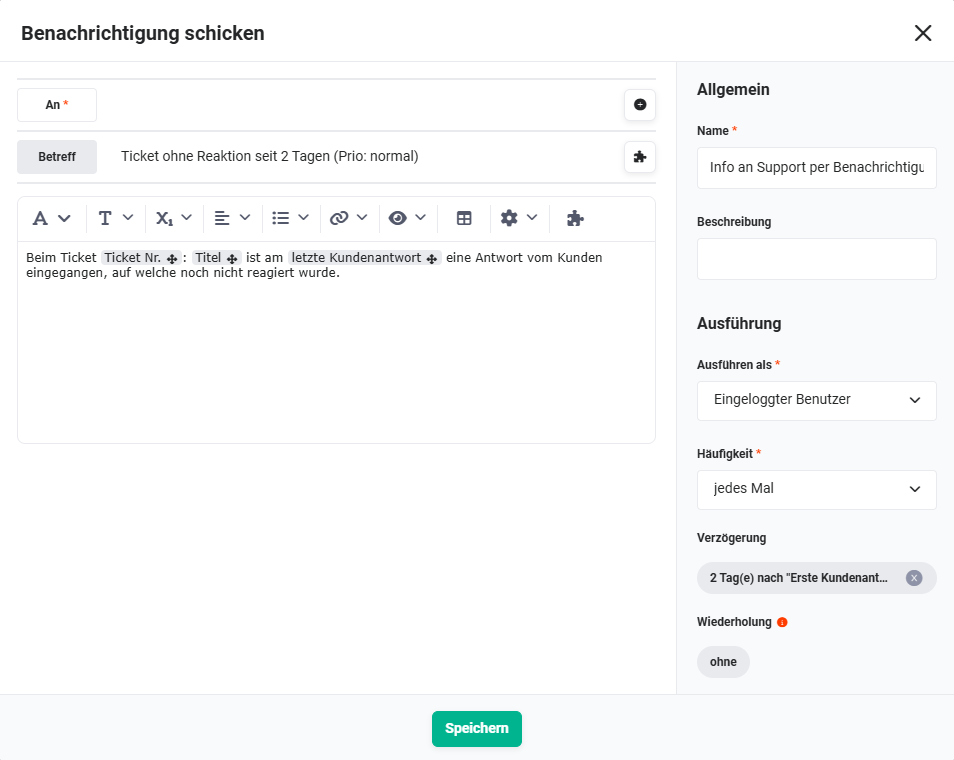 Action „Notify support after 2 days"
1.1.4. Set escalation level 1 after 2 days (Action - #4)
Sets the Escalation level field on the ticket to Level 1 after 2 days without a support response. Is initialised as a scheduled action in parallel to action #3.
Connections to nodes before/after:
- before: Prio normal, support response open (Condition - #2))
- after: none
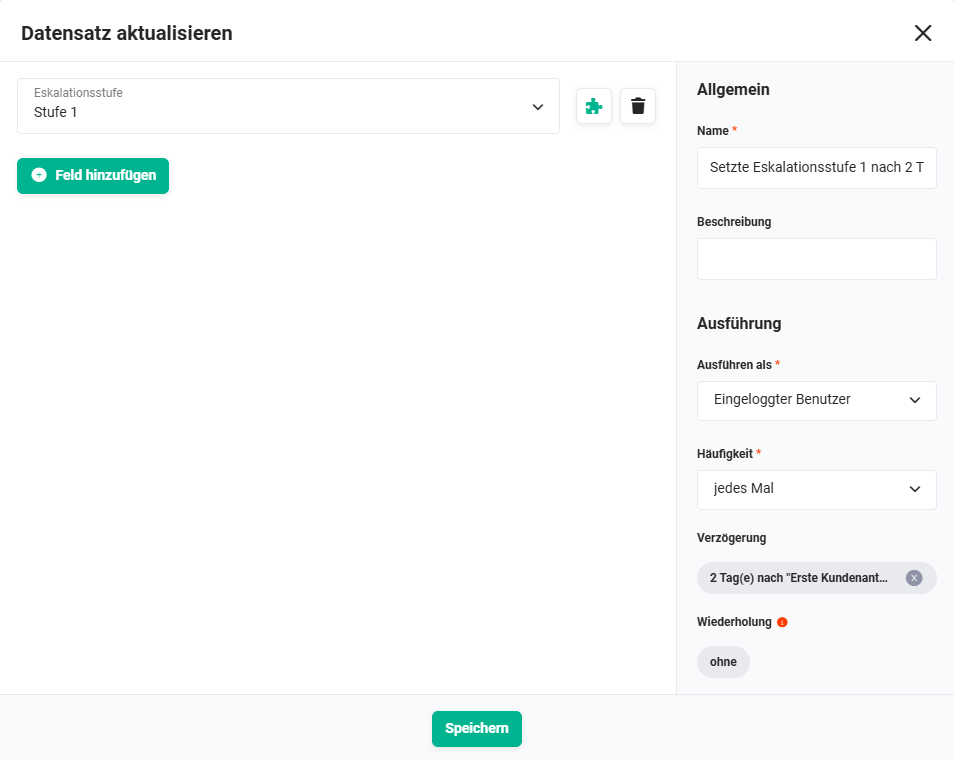 Action „Set escalation level 1 after 2 days"
1.1.5. Prio high, support response open (Condition - #5)
Corresponds to condition #2, but for tickets with priority high. Waiting time: 1 day.
Connections to nodes before/after:
- before: Escalation Level 1 (Trigger - #1))
- after (met):
- after (not met): none
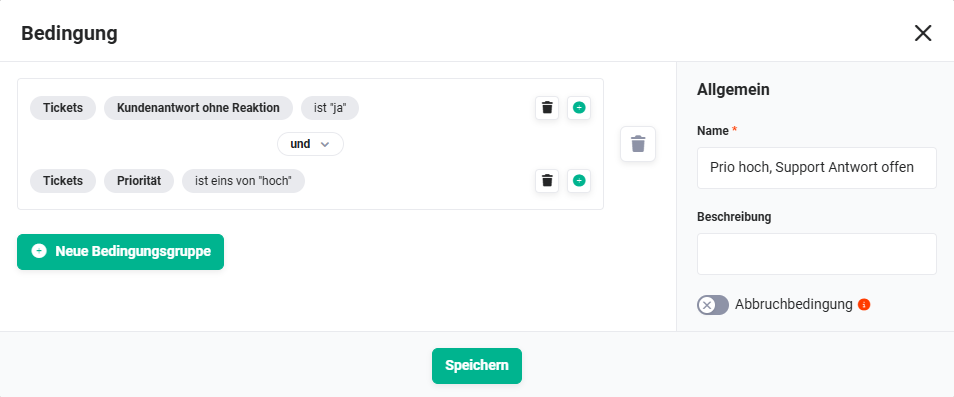 Condition „Prio high, support response open"
1.1.6. Notify support after 1 day (Action - #6)
Sends an internal notification to support after 1 day without a support response.
Connections to nodes before/after:
- before: Prio high, support response open (Condition - #5))
- after: none
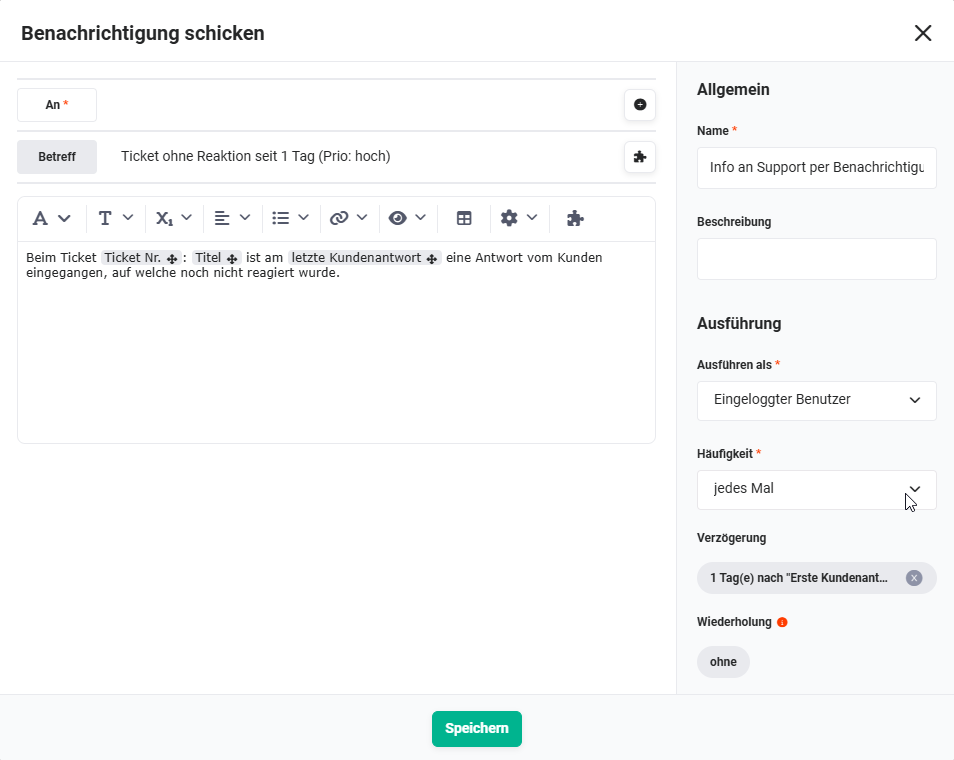 Action „Notify support after 1 day"
1.1.7. Set escalation level 1 after 1 day (Action - #7)
Sets the Escalation level field on the ticket to Level 1 after 1 day.
Connections to nodes before/after:
- before: Prio high, support response open (Condition - #5))
- after: none
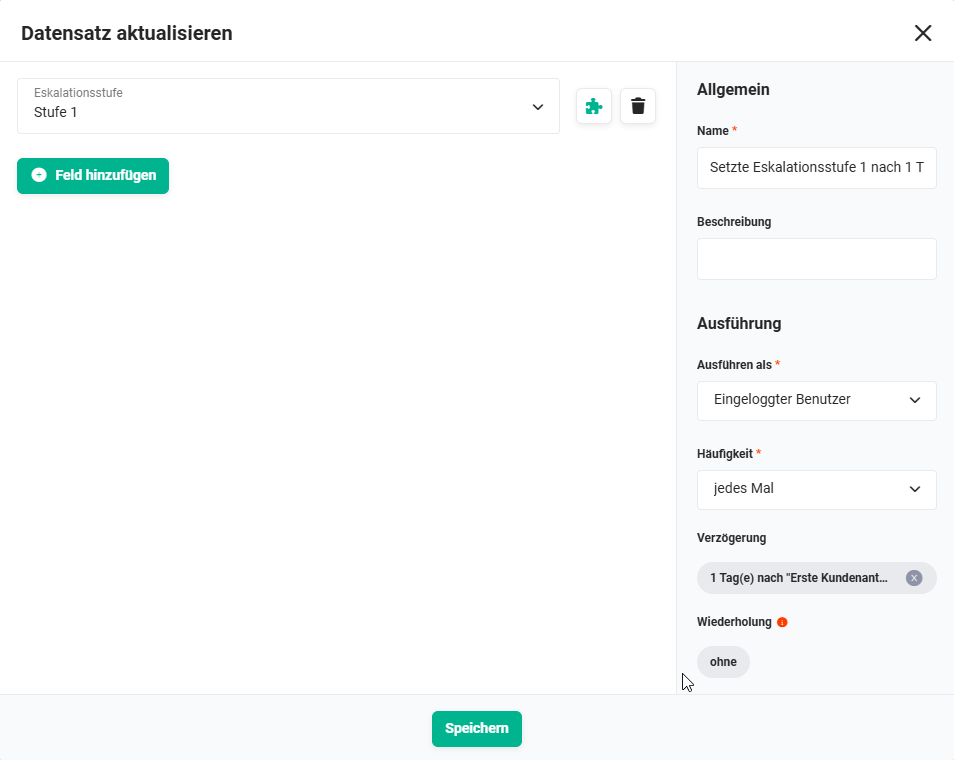 Action „Set escalation level 1 after 1 day"
1.1.8. Prio urgent, support response open (Condition - #8)
Corresponds to condition #2, but for tickets with priority urgent. Waiting time: 4 hours.
Connections to nodes before/after:
- before: Escalation Level 1 (Trigger - #1))
- after (met):
- after (not met): none
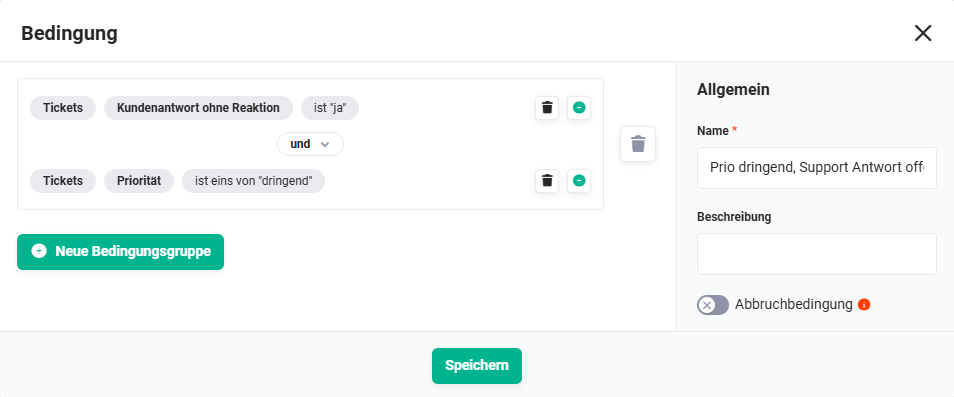 Condition „Prio urgent, support response open"
1.1.9. Notify support after 4 hours (Action - #9)
Sends an internal notification to support after 4 hours without a support response.
Connections to nodes before/after:
- before: Prio urgent, support response open (Condition - #8))
- after: none
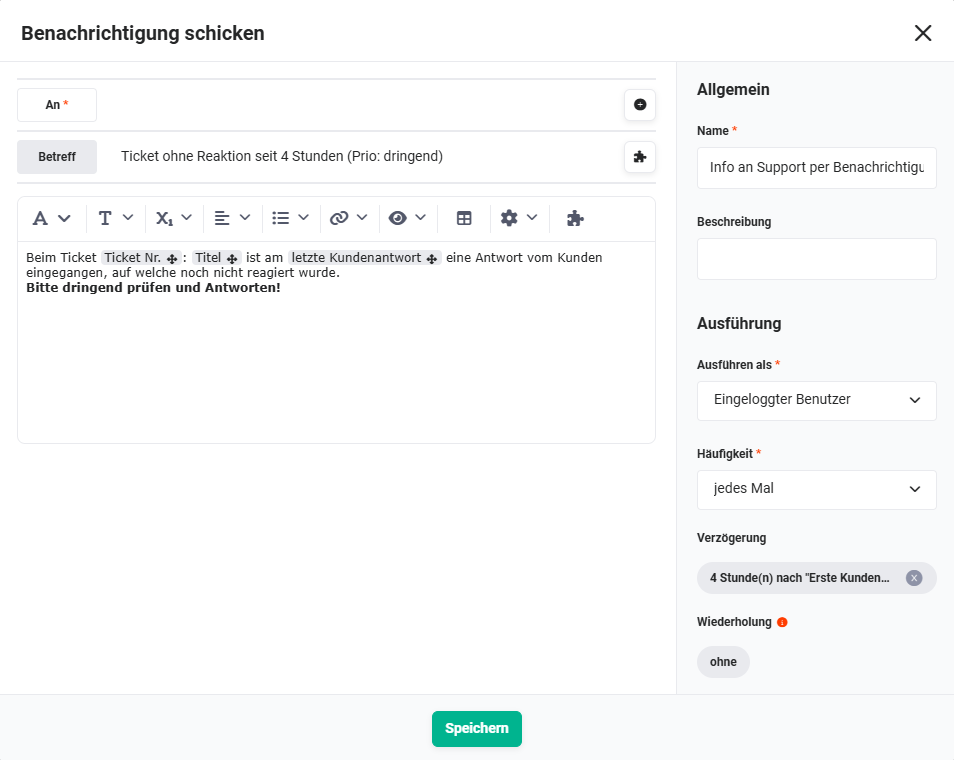 Action „Notify support after 4 hours"
1.1.10. Set escalation level 1 after 4 hours (Action - #10)
Sets the Escalation level field on the ticket to Level 1 after 4 hours.
Connections to nodes before/after:
- before: Prio urgent, support response open (Condition - #8))
- after: none
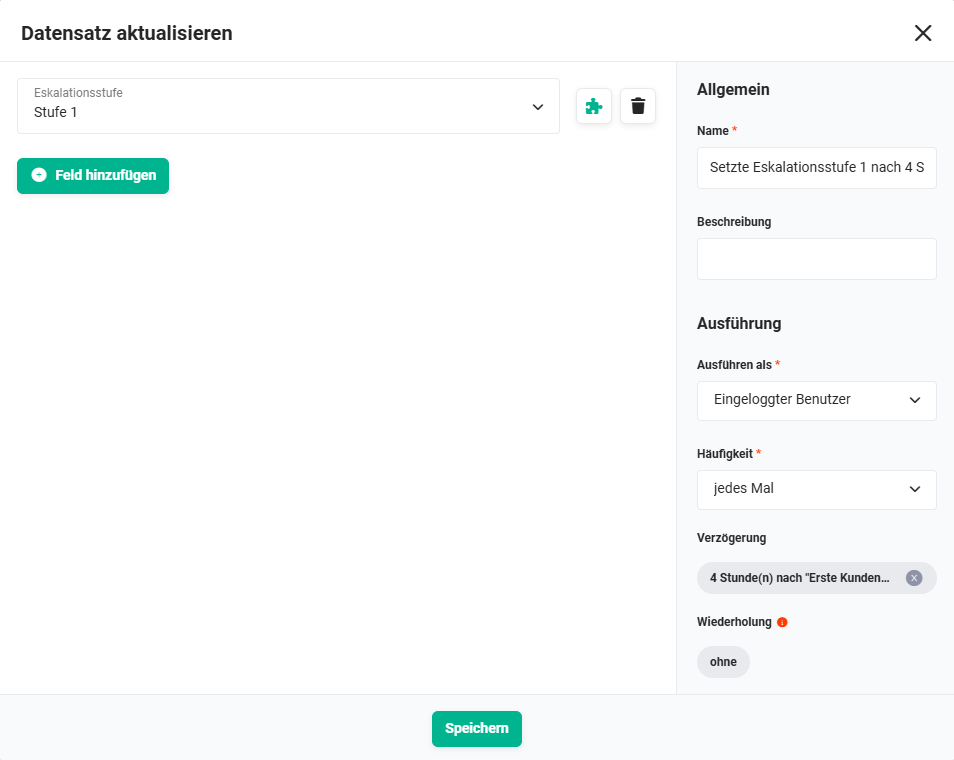 Action „Set escalation level 1 after 4 hours"