
Global Settings
Package: BASIC
1. General
The Global Settings in brainX are used to define fundamental configurations and settings for the entire system. This includes, for example, user permissions, default field values, language settings, currency settings and other system-wide parameters.
To access the Global Settings area, users require administrative permission. The "admin" user, which is present in every brainX system by default, has the "CustomerAdmin" permission and can grant administrative permissions to other users via Rights Management if required.
A detailed description is available in the section Administrative Rights.
2. Thematic Areas
The start page of the Global Settings displays all available settings areas as tiles. A search function is available at the top centre, which can be used to search specifically for settings items. On the right-hand side, the most recently made changes are displayed in descending chronological order — detailed information on this in the section Recent Changes.
The Global Settings are divided into the following thematic areas:
- General Functions → general functions of the Global Settings
- Search in Settings → search in Global Settings
- Recent Changes → change tracking for Global Settings
- Module Management → management and settings of modules
- Settings → default settings and deletion rules
- Layout → configuration of layouts
- Record Selection → configuration of columns and module-specific exceptions for record selection
- Relations → configuration of columns and module-specific exceptions for relations
- Special Module Settings → special module settings for the PBX Manager, Recycle Bin and Delivery Notes modules
- Basic Setup → Basic Setup settings
- Software Info → display of relevant data about the brainX installation and log files
- Product Block → configuration of the product block
- Currencies & Taxes → currency and tax settings
- GDPR → activation/configuration of GDPR
- Language Editor → management of languages and translations
- Tag Management → editing (renaming and deleting) of tags
- System Automation → configuration/management of system automations
- Automations → configuration of automations
- Background Tasks → management of background tasks
- Users and Permissions → management of users and permission settings
- Users and Groups → configuration of users and groups
- Roles → configuration of roles (role hierarchy)
- Profiles → configuration of profiles
- Global Permission Assignment → configuration of company-wide access rights and custom access rules
- Company Information → management/configuration of tenants and tenant-related functions
- Information → settings for company information, files (logos) and terms and conditions
- General Settings → system and security settings
- Geodata Retrieval → geodata settings with Google Maps
- Billing Settings → settings for default tax selection and general ledger accounts
- Email Settings → configuration of the central mail server and Exchange Online
- Digital Assistant → ChatGPT configuration
- Record Numbers → configuration of active number sequences
- SalesViewer → configuration of the SalesViewer integration
- snapADDY → configuration of the snapADDY integration
- DATEV Invoice Data Service 1.0 → configuration of the DATEV Invoice Data Service 1.0 integration
- DATEV Accounting Data Service → configuration of the DATEV Accounting Data Service integration
- ZUGFeRD → configuration of the ZUGFeRD integration
- Time Tracking → configuration of the Time Tracking integration (Clockodo)
- Digital Signature → configuration of the Digital Signature integration (DocuSign & DocuSeal)
- Jira Service Management → configuration of the Jira Service Management integration
- Jira → configuration of the Jira integration
- Connect → configuration of the telephony integration
- Additional Functions (Note: not a callable settings item)
- Zapier → information on the Zapier integration
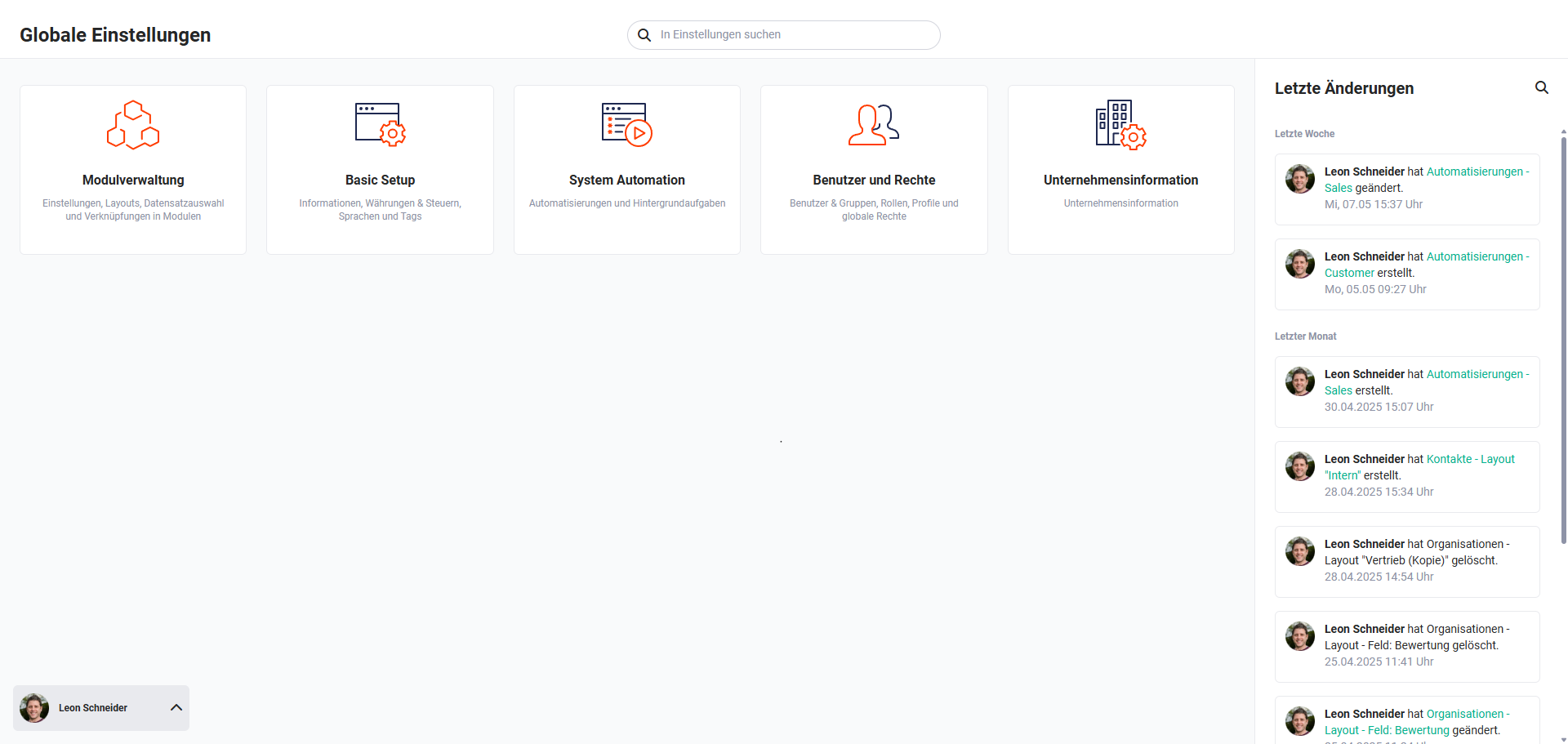 Global Settings Overview