
Last Entries
Package: BASIC
1. General
To be able to quickly re-open the most recently accessed or edited records, the “Recent Entries” functionality is integrated into the navigation bar.
2. Selecting recent entries
Via the action link “Recent Entries”, the most recently accessed or edited records can be re-opened.
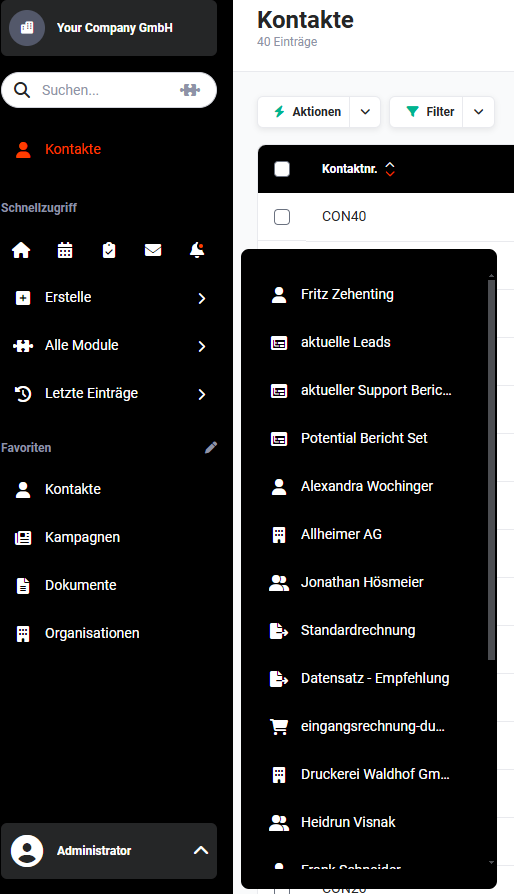 Navigation bar - Recent Entries
The flyout menu - in which the most recently accessed records are listed - opens by clicking on the action link “Recent Entries”. The entries are sorted in descending chronological order, i.e. the most recently accessed record is displayed at the very top.
In addition, the module icon is displayed in front of the record name in order to quickly recognise which module the record belongs to.
If an entry is clicked in the flyout menu, the corresponding record is opened in the detail view.