
Quick Access
Package: BASIC
1. General
The “Quick Access” area contains several important actions that provide fast access to frequently used modules (Appointments, Tasks, Email accounts), the action for displaying notifications, the option to create records in modules, to open modules, or to list the most recently accessed records.
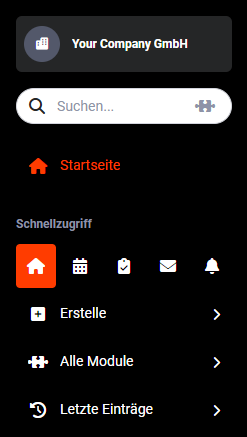 Quick Access Home Page
Directly beneath the “Quick Access” label you will find the following action icons:
- Home Page → Opens the home page
- Appointments → Opens the Appointments module
- Tasks → Opens the Tasks module
- Email accounts → Opens the Email accounts module
- Notifications → Displays the notifications
In addition, the following actions are also located in the Quick Access area:
- Create → Access to the list of modules in order to quickly create records
- All Modules → A listing of all modules for opening modules
- Recent Entries → A listing of the most recently accessed records
Detailed descriptions of the actions can be found in the linked sections.
2. Home Page
Clicking the “Home Page” icon displays it.
Quick Access Home Page
In the section Modules - Home Page you will find all information on setting up and using the home page.
3. Appointments
Clicking the “Appointments” icon opens the Appointments module.
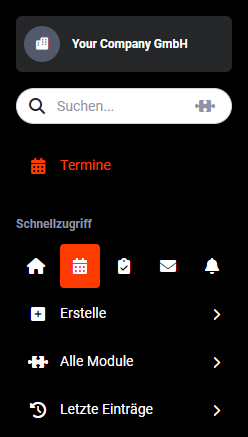 Quick Access Appointments
In the section Modules - Appointments you will find all information on this module.
4. Tasks
Clicking the “Tasks” icon opens the Tasks module.
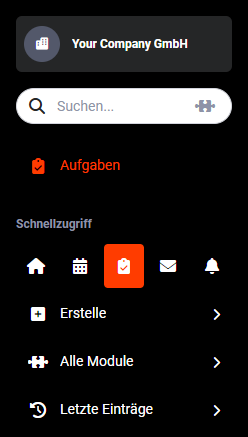 Quick Access Tasks
In the section Modules - Tasks you will find all information on this module.
5. Email accounts
Clicking the “Email accounts” icon opens the Email accounts module.
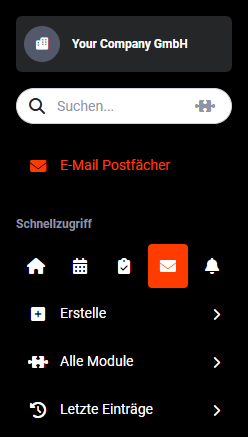 Quick Access Email accounts
In the section Modules - Email accounts you will find all information on this module.
6. Notifications
Clicking the “Notifications” icon opens the notifications sidebar on the right-hand side, in which all notifications are listed.
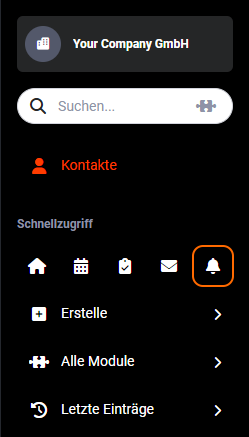 Quick Access Notifications
A detailed description of the extensive functionality of notifications is available on the separate subpage Notifications.