
Settings
Package: BASIC
1. General
In the "Settings" tab in Module Management, the Default Settings and the Deletion Rules for records can be defined per module.
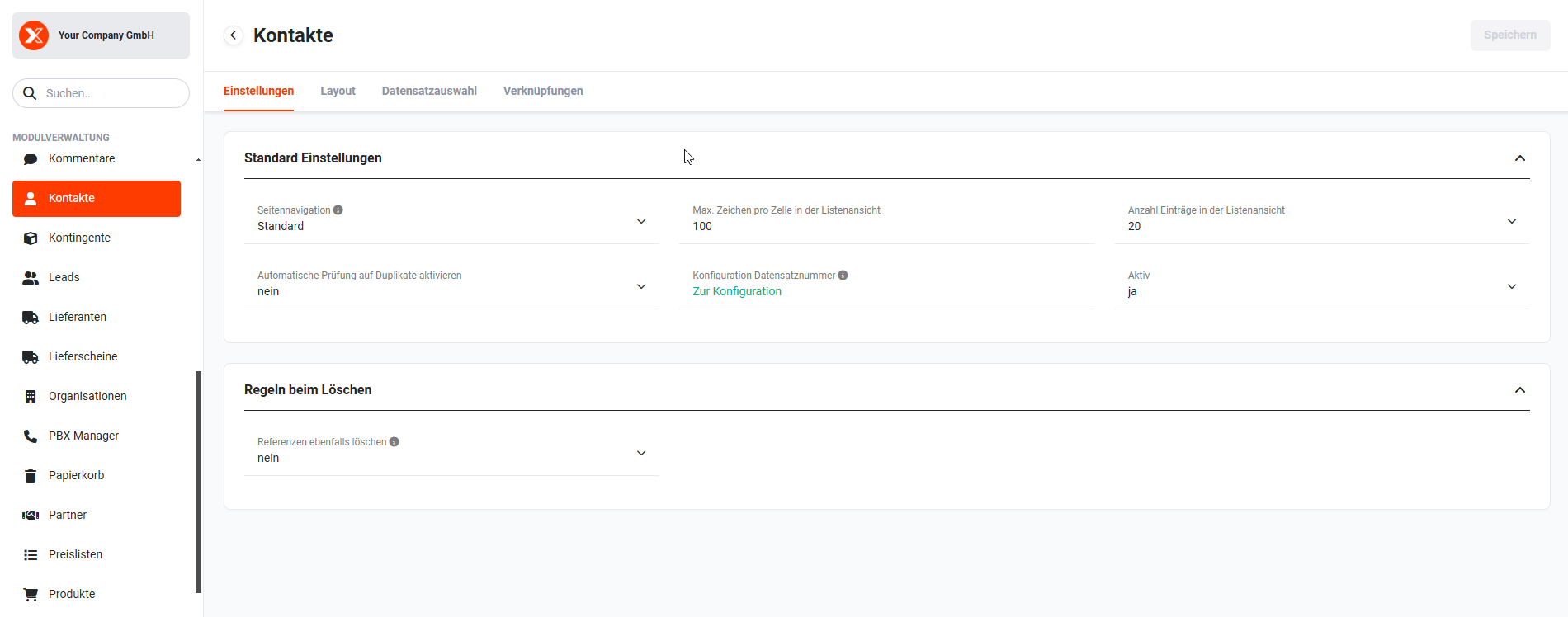 Module Default Settings and Deletion Rules
2. Default Settings
The "Default Settings" block contains the following fields for configuring modules:
| Field | Description |
|---|---|
| Page navigation |
|
| Max characters per line in list view | If a text is longer than the configured value, it will be truncated after the maximum number of characters defined. The full text can be viewed in the detail view. |
| Number of entries in list view | Configuration item for how many records should be displayed per page by default in the List View. The value must be less than or equal to 200. Note: This setting applies exclusively to the list view of a module. Related lists (relations in the detail view) are not affected — these are always loaded on demand. The higher the configured value and the more fields displayed in the list view, the longer the page loading time. |
| Enable automatic duplicate check | Configuration item for whether the automatic duplicate check is active when creating new records in all modules (e.g. checking for duplicate organisation names). |
| Record number configuration | The field "Record number configuration" displays only an action link "Go to configuration", which when clicked opens the settings item Company Information. In Company Information, Record Numbers can be defined per tenant. |
| Active |
|
3. Deletion Rules
The "Deletion Rules" block contains only the field "Also delete references", which defines whether referenced records should also be deleted when records are deleted.
Three options are available:
- yes → all referenced records are deleted
- no → referenced records are not deleted
- User decides → when deleting, a popup is displayed in which the user can decide whether all or only selected referenced records should also be deleted.